
Contrast Ratio
Easily calculate color contrast ratios.
About Contrast Ratio
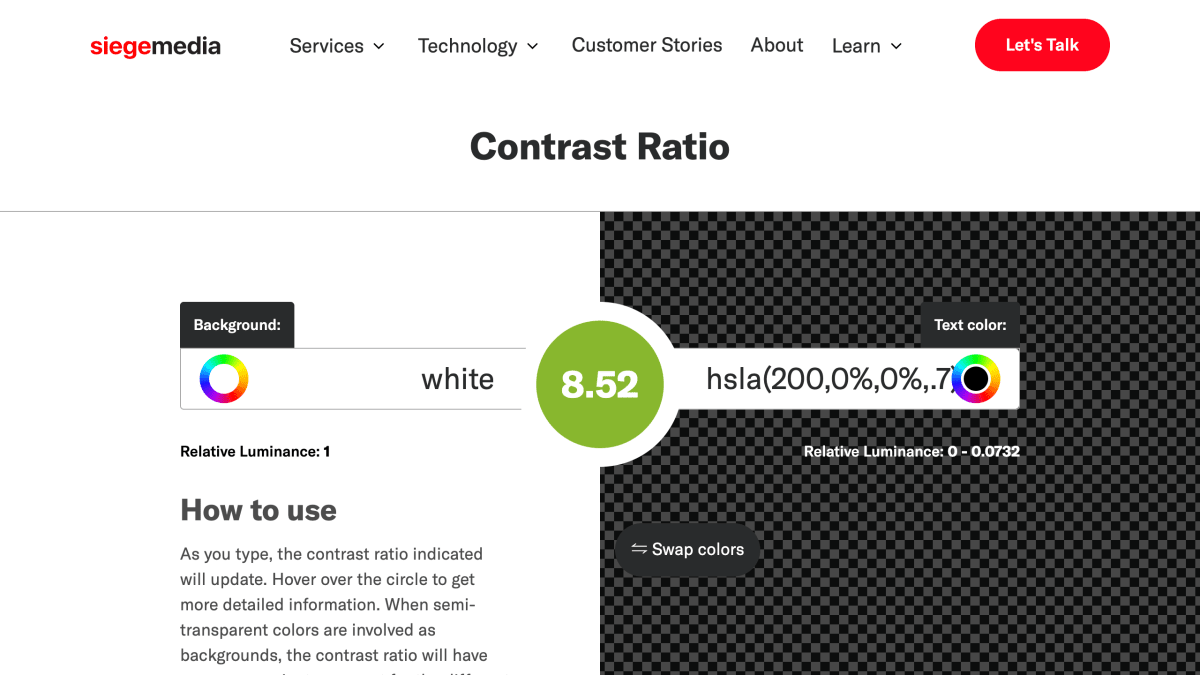
Contrast Ratio is a browser-based tool for calculating the WCAG color contrast ratio between a background and text color. Users input or adjust background and text colors and see the contrast ratio update in real time, along with a sample text preview showing readability across normal, italic, bold, and bold italic styles at various sizes. The tool flags whether a ratio falls within acceptable WCAG 2.1 thresholds, supports keyboard shortcuts (arrow keys, with Shift or Alt modifiers) for incrementing color values, and accounts for error margins when semi-transparent background colors are used.
It is intended for web developers and designers checking that text/background combinations meet accessibility guidelines, including resolving contrast-related errors reported by tools like Google Lighthouse. The site was created by Lea Verou.
Key features
- Calculates WCAG color contrast ratio in real time as you type
- Swap foreground/background colors with one click
- Shows margin of error for semi-transparent background colors
- Displays sample text in normal, italic, bold, and bold italic styles at various sizes to preview readability
- Supports incrementing/decrementing color values via keyboard arrows in functional color notation
Frequently asked questions
What is a good contrast ratio?
A good contrast ratio is any number above 4.5:1 for small text; larger text can dip to 3:1 but ideally higher, per the W3C.
How does this tool help with the Google Lighthouse contrast error?
You can use the tool to modify background and font colors to create a more accessible combination, which resolves the Lighthouse 'insufficient contrast ratio' warning.
Who created Contrast Ratio?
Contrast Ratio was created by Lea Verou.
What is relative luminance?
As defined by the World Wide Web Consortium, relative luminance is the relative brightness of any point in a colorspace, normalized to 0 for darkest black and 1 for lightest white.


SerpApi - Search API
SerpApi's Search API makes it easy and fast to scrape Google and other search engines.

Show your product to thousands of developers
· 100k monthly pageviews
· 7k newsletter subscribers
You might also like
Checka11y.css
Accessibility/ProgrammingA CSS stylesheet to quickly highlight a11y concerns. - jackdomleo7/Checka11y.css.
Color Contrast Checker
AccessibilityMake sure your website has accessible colors.
Color.review
Accessibility/ColorA modern tool for exploring and finding accessible colors. Make sure that everyone can see your creations.
HTML5 Accessibility
AccessibilityGet the current accessibility support status of HTML5 features across major browsers.
Inclusive Components
AccessibilityA blog trying to be a pattern library. All about designing inclusive web interfaces, piece by piece.
PageGuard
SEO/Accessibility/PerformanceFree all-in-one website health scanner. Checks SEO, ADA/WCAG accessibility, Core Web Vitals performance, and best practices in one scan. Paid plans add automated monitoring and alerts.