Work Type Focus
Classify and visualize Jira work to stay focused and foster innovation.
About Work Type Focus
Work Type Focus is a Jira Cloud app that classifies issues into five work types: unstructured innovation/experimentation, adding new capabilities, enhancing existing capabilities, managing complexity, and unplanned work/interruptions. It creates or adopts a "Work Type" custom field in Jira, and teams can assign or update the classification either in bulk for unmapped issues or individually from the Jira issue side panel.
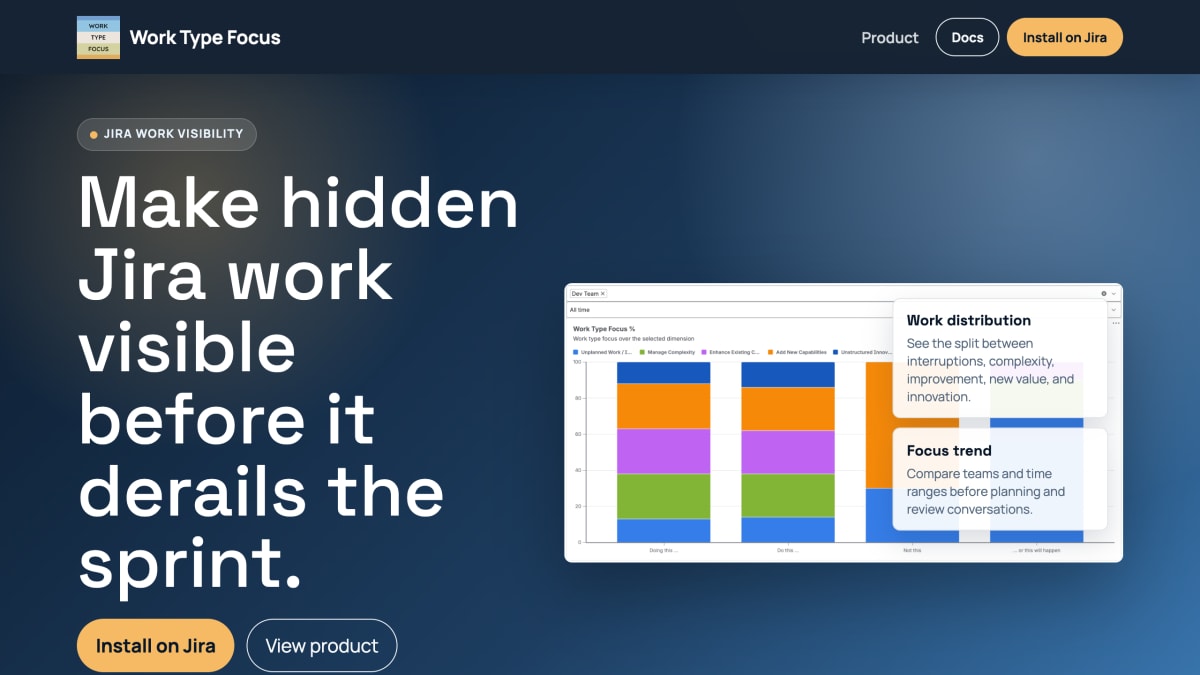
The app aggregates these classifications into a dashboard showing work distribution and focus trends, letting teams compare work mix across teams and time ranges for use in sprint planning, retrospectives, and leadership reviews. It surfaces unplanned interruptions and complexity that might otherwise go unnoticed.
It is intended for existing Jira Cloud teams, particularly those managing delivery tradeoffs such as balancing new feature work against technical debt, risk reduction, and interruptions. The app is installed via the Atlassian Marketplace by a Jira admin, requires permissions for app storage and Jira/project configuration, stores Work Type values as a Jira custom field, and is billed through Atlassian Marketplace. It is developed and partner-supported by Techflection B.V.
Key features
- Dashboard shows work distribution split across interruptions, complexity, improvement, new value, and innovation
- Focus trend view compares teams and time ranges for planning and retro conversations
- Bulk mapping to clean up unmapped issues, filterable by My Work or all unmapped tickets
- View or change Work Type directly from the Jira issue side panel
- Automatically creates or adopts a Work Type custom field in Jira
Frequently asked questions
Does it support Jira Cloud?
Yes, the Atlassian Marketplace listing is for Jira Cloud, and the app works inside Jira project views and issue side panels.
How is it installed and how long does setup take?
A Jira admin installs it from Atlassian Marketplace and approves it for the site, then opens Work Type Focus from the project board tab or side menu; the app creates or adopts the Work Type field automatically.
How is pricing handled?
It is a commercial app with Marketplace billing, and you can try it free via Atlassian Marketplace.
What permissions does the app require?
It uses permissions for app storage, Jira configuration, and Jira project configuration to persist team selection and manage the Work Type field.
Who supports the app?
Work Type Focus is Partner Supported by Techflection B.V. through the Atlassian Marketplace listing.


SerpApi - Search API
SerpApi's Search API makes it easy and fast to scrape Google and other search engines.

Show your product to thousands of developers
· 100k monthly pageviews
· 7k newsletter subscribers
You might also like
VideoFaceSwap
AI/Video/ProductivityVideoFaceSwap is a cutting-edge tool that leverages advanced technology to enable seamless face-swapping in videos and images, making creative multimedia processing easy and accessible.
ViewJSON
Tooling/ProductivityFree online JSON viewer that automatically detects and previews Base64-encoded images, audio, video, and PDFs inline. Also supports JSON formatting and file-to-Base64 conversion.
Voibe
Productivity/AI/WritingFast, private, on device AI voice dictation app for Mac.
Vurge
AI/ProductivityIt's like Clay but in Google Sheets.
Webacus
Productivity/ToolingWebacus is a versatile tool designed specifically for developers. It combines numerous operations that developers frequently need into a single, consistent interface. Instead of Googling and learning the interface for each operation, you can perform everything you need within Webacus, seamlessly.
WebCurate Developer Tools
ProductivityA hand-curated collection of 380+ best developer tools and resources with detailed descriptions and features.