
Webacus
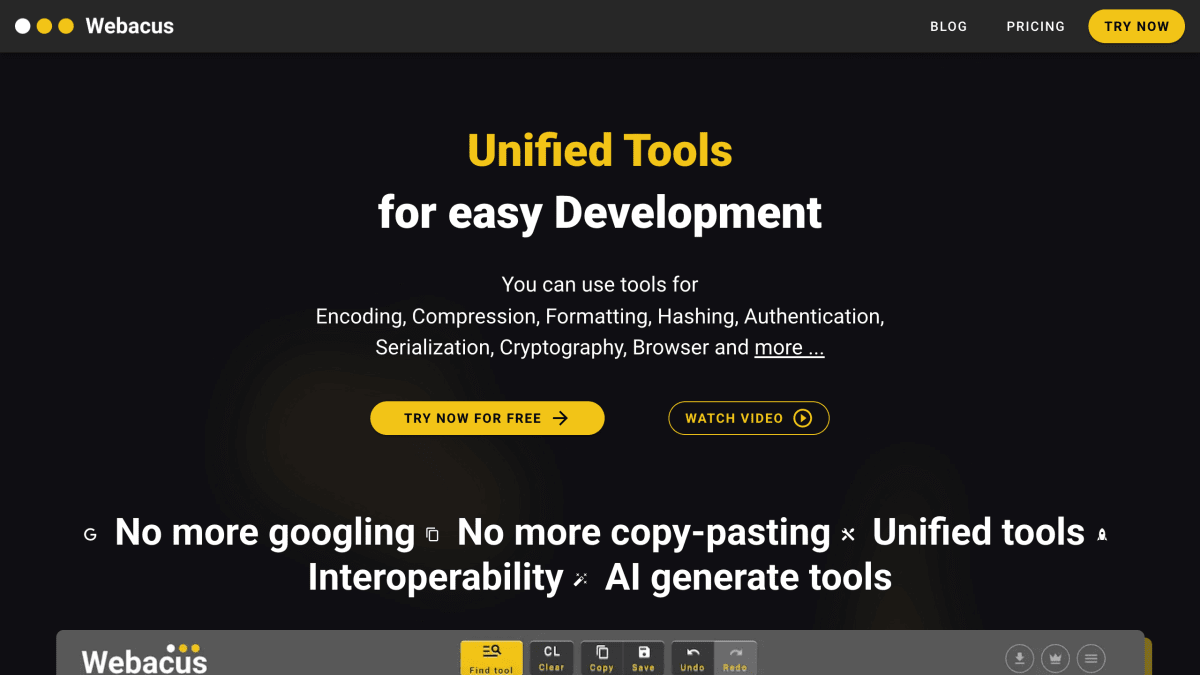
Webacus is a versatile tool designed specifically for developers. It combines numerous operations that developers frequently need into a single, consistent interface. Instead of Googling and learning the interface for each operation, you can perform everything you need within Webacus, seamlessly.
About Webacus
Webacus is a web-based collection of developer utilities covering encoding, compression, formatting, hashing, authentication, serialization, cryptography, browser-related lookups, date and time conversion, text manipulation, number conversion, and arithmetic operations. The site lists 145 individual tools, including Base64 and URL encoding/decoding, JSON/HTML/CSS/JS formatting and minification, SHA/MD hashing functions, JWT and HTTP Basic Auth encoding/decoding, PHP serialization conversion, User-Agent parsing, a Can-I-Use lookup, timestamp conversion, and case conversion utilities.
The tools can be chained together into workflows so output from one tool feeds into the next without manual copy-pasting. Additional features include a filterable tool list, a favorites list for quick access, a history of previous results, file upload/drop support for running tools on files, a built-in hex editor for binary data, a math expression evaluator/calculator, keyboard shortcuts, and import/export of tool configurations. The site states data is processed locally and not stored on its servers.
An AI Assistant feature lets users describe a tool they need in a prompt and have Webacus generate it. The product is aimed at web developers who repeatedly use small utility tools during development and want them unified in one interface instead of searching for separate tools individually. The site offers a free trial and has a pricing page, though specific plan details are not stated on this page.
Key features
- 145 developer tools covering encoding, compression, formatting, hashing, and cryptography
- AI Assistant generates custom tools instantly from a text prompt
- Chain multiple tools together into workflows without copy-pasting
- Local-first: no user data stored on Webacus servers
- Built-in HEX editor and file upload/save support for binary results
- Favorites, history, and filter for quickly finding and reusing tools
Frequently asked questions
Is Webacus free to use?
Webacus can be tried for free, and there is also a separate pricing page for paid plans.
What kind of tools does Webacus offer?
It offers 145 tools spanning categories like encoding, compression, formatting, hashing, authentication, serialization, cryptography, browser, date & time, text, number, conversions, and cryptography.
Does Webacus store my data?
No, Webacus is local-first and does not store any of your data on its servers.
Can I use Webacus with files, not just pasted text?
Yes, you can drop or upload a file, apply a tool to it, and save the result back to a file.
Who is Webacus for?
It is aimed at web developers who need a unified set of one-off tools instead of a bookmark folder of separate sites.


SerpApi - Search API
SerpApi's Search API makes it easy and fast to scrape Google and other search engines.

Show your product to thousands of developers
· 100k monthly pageviews
· 7k newsletter subscribers
You might also like
VideoFaceSwap
AI/Video/ProductivityVideoFaceSwap is a cutting-edge tool that leverages advanced technology to enable seamless face-swapping in videos and images, making creative multimedia processing easy and accessible.
ViewJSON
Tooling/ProductivityFree online JSON viewer that automatically detects and previews Base64-encoded images, audio, video, and PDFs inline. Also supports JSON formatting and file-to-Base64 conversion.
Voibe
Productivity/AI/WritingFast, private, on device AI voice dictation app for Mac.
Vurge
AI/ProductivityIt's like Clay but in Google Sheets.
WebCurate Developer Tools
ProductivityA hand-curated collection of 380+ best developer tools and resources with detailed descriptions and features.
Work Type Focus
Productivity/Analytics/ToolingClassify and visualize Jira work to stay focused and foster innovation.