

Image to ASCII
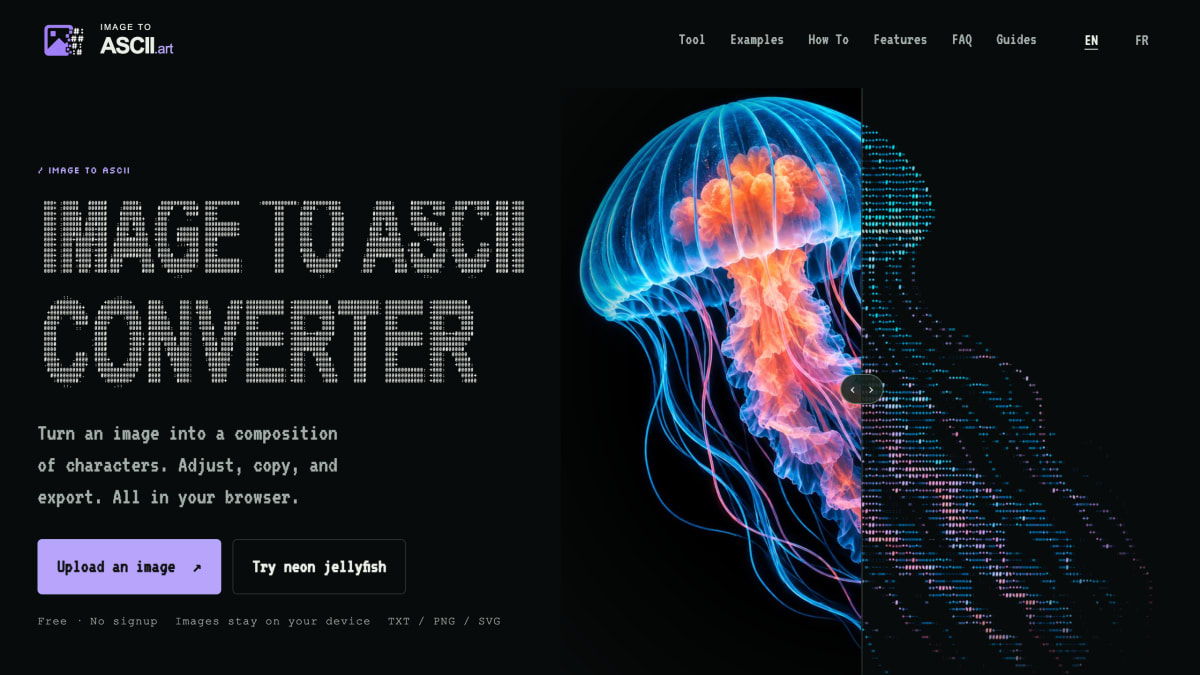
Convert images locally into ASCII art for READMEs and terminals. Copy text or Markdown; export TXT, PNG, SVG, HTML, or ANSI. Free, no signup.
About Image to ASCII
Image to ASCII is a browser-based tool that converts uploaded images into ASCII art. It accepts JPG, PNG, WebP, and GIF files (GIF is processed as a still first frame), and processing happens locally via Canvas, so the image file is not uploaded to a server. Users can adjust width, character style (detailed, dense, blocks, simple, minimal), invert, brightness, contrast, sharpen, saturation, dither, and background settings, and can start from presets aimed at specific outputs (README, Terminal, Social, Poster) or visual styles (Neon, Pixel Gallery, Fine Art, Portrait).
Output can be copied as plain text, Markdown, README-formatted text, code comments, ANSI, or a share caption, or downloaded as TXT, PNG, SVG, HTML, or ANSI. Color rendering is supported in PNG, SVG, HTML, and ANSI exports, while TXT, Markdown, README, and comment exports remain plain text for use in code blocks.
The tool is free and requires no signup. It targets use cases such as GitHub README banners and project signatures, terminal welcome screens, Discord art, blog cover images, and posters, with example presets and guides provided for README, blog cover, and Discord destinations.
Key features
- Converts images to ASCII art locally in the browser using Canvas
- Adjustable width, character ramp, brightness, contrast, sharpen, saturation, dither, and invert
- Copy as plain text, Markdown, README block, comment, ANSI, or share caption
- Export as TXT, PNG, SVG, HTML, or ANSI, with color preserved in image-based formats
- Presets for common destinations like README, Terminal, Social, and Poster
- Supports JPG, PNG, WebP, and GIF (first frame) input
Frequently asked questions
Does this tool upload my image?
No, the image is read by your browser and converted locally with canvas, so the file does not need to leave your device.
Is Image to ASCII free to use?
Yes, the tool is free and requires no signup.
What image formats are supported?
The converter supports JPG, PNG, WebP, and GIF files when your browser can decode them; GIF input produces a still result, not an animation.
Can I download the ASCII result as a text file?
Yes, after generating ASCII art you can use Download TXT to save the plain text result as a .txt file for README files, terminals, or comments.
Who is this tool useful for?
It's suited for developers making GitHub README banners and code comment art, as well as users creating terminal welcome screens, Discord posts, and poster or social graphics.


Thordata
Reliable residential proxies for web scraping and automation: over 100 million real residential IPs across 190+ countries, plus a SERP API, Web Scraper API and Web Unlocker.

SerpApi - Search API
SerpApi's Search API makes it easy and fast to scrape Google and other search engines.
Show your product to thousands of developers
· 100k monthly pageviews
· 7k newsletter subscribers
You might also like
Gcore Image Stack
CDN/ImageAn image CDN for convenient transformation, compression, and delivery of website images on the fly.
High Compress
ImageHighCompress is an incredibly powerful tool that can compress images upto 95%. Make your website load faster, optimize your images and boost SEO.
Icons8
Icon/Illustration/ImageDownload design elements for free: icons, photos, vector illustrations, and music for your videos.
Img.Upscaler
AI/ImageUpscale and enhance your image by using the latest AI technology. Support batch process.
ItsPaint
Screenshot/Image/DesignFree, open-source native macOS paint app for marking up screenshots and bug reports, with numbered step badges, pixelate, and 8 export formats.
Let
Editor/ImageSimple machine learning software to enlarge images with no quality loss, enhance colors and photo resolution, automatically retouch product photos. Free trial.