ItsPaint
Free, open-source native macOS paint app for marking up screenshots and bug reports, with numbered step badges, pixelate, and 8 export formats.
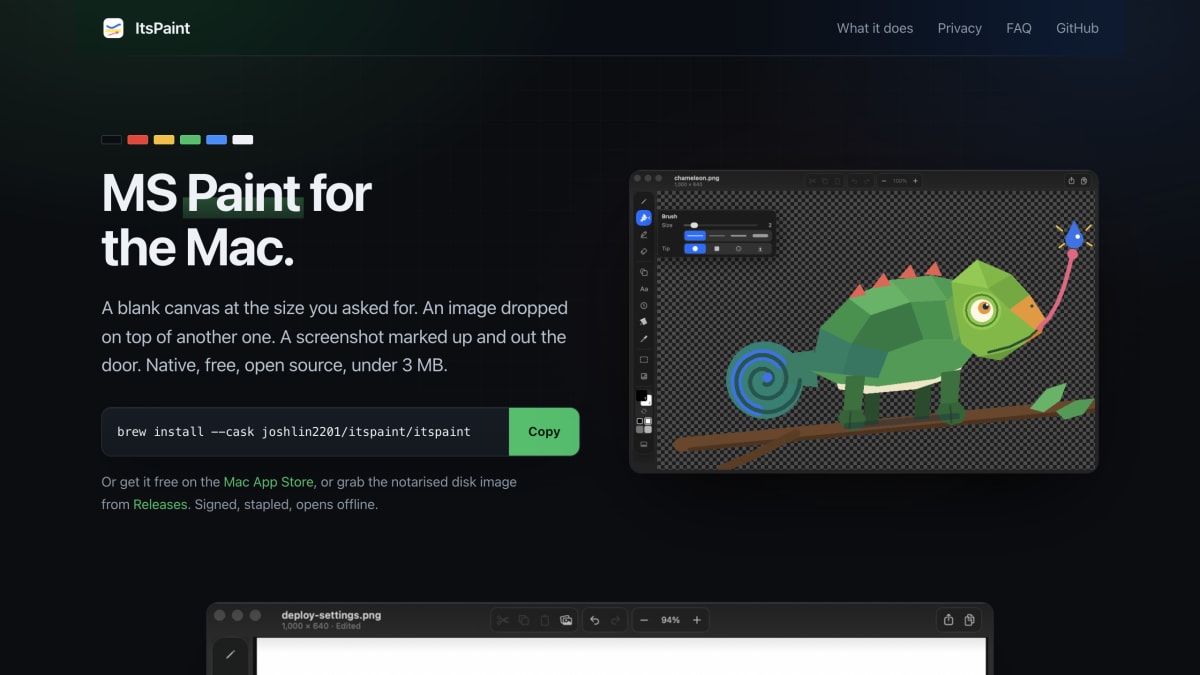
About ItsPaint
ItsPaint is a native macOS image editor built with Swift, AppKit, and SwiftUI, positioned as a replacement for Microsoft Paint and an extension of Preview's limited annotation tools. It supports creating blank canvases at specified pixel dimensions, dragging or pasting images onto a canvas with move/scale controls, cropping, an eyedropper for hex color values, and background removal that runs locally without uploading images or using a network connection. Additional tools include numbered step badges for walkthroughs, pixelation for redacting sensitive information in screenshots, fifteen shapes, twelve drawing tools with adjustable brush nibs, and export to PNG, JPEG, TIFF, BMP, GIF, HEIC, PDF, and ICO. Files are saved as lossless PNGs with a JSON sidecar.
The application is free and open source under the MIT license, with no account requirement, no telemetry, and no third-party dependencies. It requires macOS 14 Sonoma or later and runs on both Apple silicon and Intel hardware. It is distributed via Homebrew, the Mac App Store, or a notarized disk image from GitHub Releases, and is currently in public beta.
It is intended for macOS users who need basic image creation and editing functionality — such as making blank canvases, compositing images, and marking up screenshots — without the size, cost, or complexity of larger editing applications like Photoshop.
Key features
- Create a blank canvas at exact pixel dimensions
- Drag-and-drop or paste images with move/scale/crop tools that grow the canvas to fit
- Remove Background locally with no network calls, plus manual Instant Alpha tolerance control
- Numbered step badges for annotating bug reports and walkthroughs
- Pixelate/mosaic redaction for hiding tokens, emails, and customer names
- Fifteen shapes and twelve tools including brush nibs, with export to PNG, JPEG, TIFF, BMP, GIF, HEIC, PDF, and ICO
Frequently asked questions
Is ItsPaint free?
Yes, it is MIT licensed and completely free with no account, telemetry, trial, or upsell. It is also available at no cost on the Mac App Store.
What platforms does it support?
It requires macOS 14 Sonoma or later and runs natively on both Apple silicon and Intel Macs.
Does it send my images anywhere, like for background removal?
No, the app has no network entitlement and contains no networking code, so Remove Background and all editing happen entirely on-device.
How is it different from Preview or Paintbrush?
Preview can annotate images but cannot create a blank canvas, and Paintbrush has not kept up with recent macOS versions; ItsPaint is a fresh native Swift 6 build that fills both gaps.
Who is ItsPaint for?
It is for Mac users who want a simple MS Paint-style editor for tasks like creating a blank canvas, compositing images, and marking up screenshots with numbered steps or redactions.


SerpApi - Search API
SerpApi's Search API makes it easy and fast to scrape Google and other search engines.

Show your product to thousands of developers
· 100k monthly pageviews
· 7k newsletter subscribers
You might also like
Carbon
Code Snippet/ScreenshotCarbon is the easiest way to create and share beautiful images of your source code.
CleanSnap
Image/Screenshot/AICleanSnap is a free AI Images maker. Create a beautiful image from a screenshot in seconds. Without any watermark.
Heroshot
Screenshot/Documentation/ToolingScreenshot automation CLI for documentation. Define screenshots once in config, regenerate all with one command using Playwright.
Screenshot Scout
ScreenshotScreenshot Scout is a screenshot API for developers that delivers clean, production-ready screenshots of any URL with a single HTTP request.
Screenstab
ScreenshotTurn ordinary screenshots into beautiful image assets in no time.
Shots
Prototyping/ScreenshotCreate amazing mockups with an image, from a website to a product, personalize any aspect of the outcome.