
Freeter
Gather everything you need for work in one place, organized by projects and workflows, and have a quick access to them. For Win, Linux, MacOS. Free and Open-Source.
About Freeter
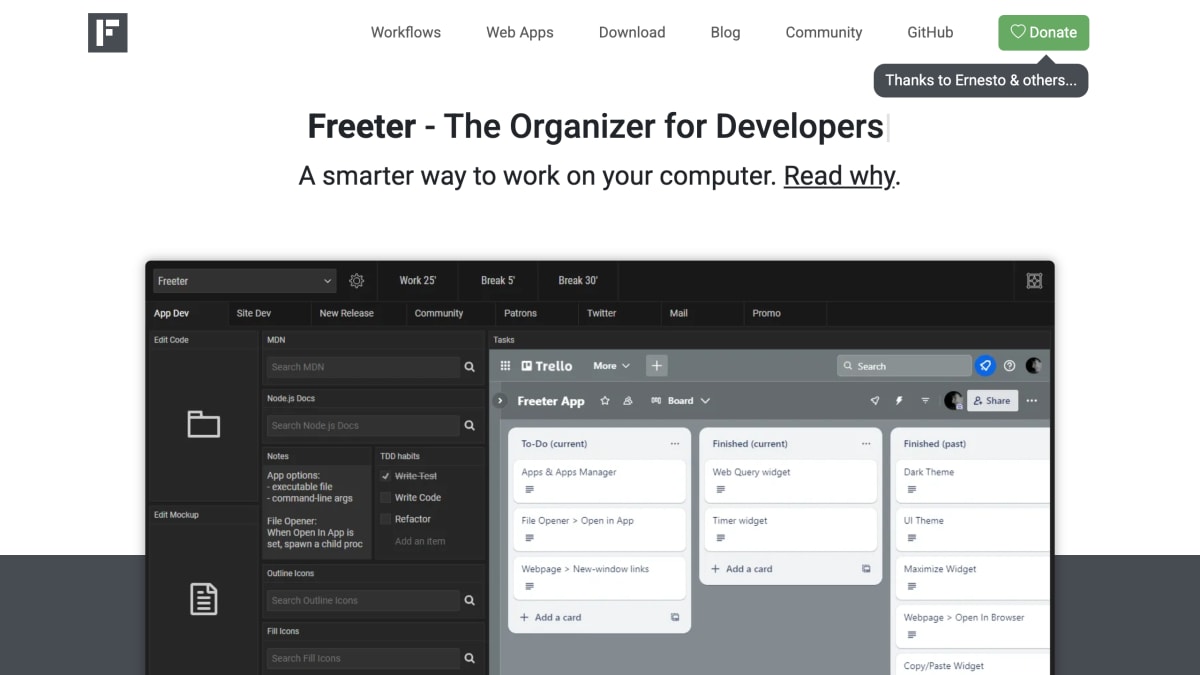
Freeter is a desktop organizer application for Linux, Windows, and Mac OS that groups tools and resources into projects and workflows. Users switch between projects to isolate work and reduce distraction, and organize each project's workflows into tabs, with a "Shelf" area for widgets that stay accessible regardless of the active project.
The app is built around widgets that provide quick access to work resources: a webpage widget for embedding web apps (with support for staying signed into different accounts per project, workflow, or widget), a file opener widget for launching project files and folders in an editor, a web query widget for running templated searches, a to-do list widget, a commander widget for executing repeated terminal commands, a timer widget for interval-based work, and a note widget for quick text. A global hotkey (Ctrl/Cmd+Shift+F) opens the app from anywhere, and it supports light and dark UI themes.
Freeter is free and open source software released under the GNU General Public License, and the developer states it does not collect or transmit telemetry or usage tracking data.
Key features
- Organizes projects and workflows with widgets for quick access to tools
- Webpage widget embeds web apps and supports multiple signed-in accounts per project
- File opener widget launches project files and folders in editing programs with one click
- Commander widget executes saved terminal commands with a single click
- Global hotkey (Ctrl/⌘+Shift+F) brings up Freeter from anywhere
- No telemetry or usage tracking collected
Frequently asked questions
Is Freeter free to use?
Yes, Freeter is Free and Open Source Software released under the GNU General Public License, forever.
What platforms does Freeter support?
Freeter is available for Linux, Windows, and Mac OS.
Does Freeter collect any usage data?
No, Freeter does not collect or transmit telemetry, usage tracking, or any other data.
Can I use Freeter to manage multiple accounts for the same web app?
Yes, the webpage widget lets you stay signed in with different accounts on a per-project, per-workflow, or per-widget basis.
Who is Freeter designed for?
It is designed for people who want to organize projects and workflows and quickly switch between tasks without distraction.


SerpApi - Search API
SerpApi's Search API makes it easy and fast to scrape Google and other search engines.

Show your product to thousands of developers
· 100k monthly pageviews
· 7k newsletter subscribers
You might also like
FairPact AI
Legal/Productivity/AIScan contracts & find gotchas before signing.
FinetuneFast
AI/Productivity/ProgrammingFinetune ML models in days, not weeks.
Format JSON Online
Productivity/ToolingA Complete Toolkit for JSON & Data Processing.
FridayGPT
AI/ProductivityFast and Native ChatGPT mac app. Access ChatGPT instantly on top of any app or website.
Frontend Toolkit
Productivity/ProgrammingFrontend Toolkit is a customizable dashboard for your recurring Frontend tasks. Base64 encoder/decoder, SVG optimizations, SVG to JSX and many more!
Fuselio
ProductivityFuselio is a rapid MVP development platform for startups and SMEs, enabling the development of custom mobile and web applications in just 6 weeks.