
Format JSON Online
A Complete Toolkit for JSON & Data Processing.
About Format JSON Online
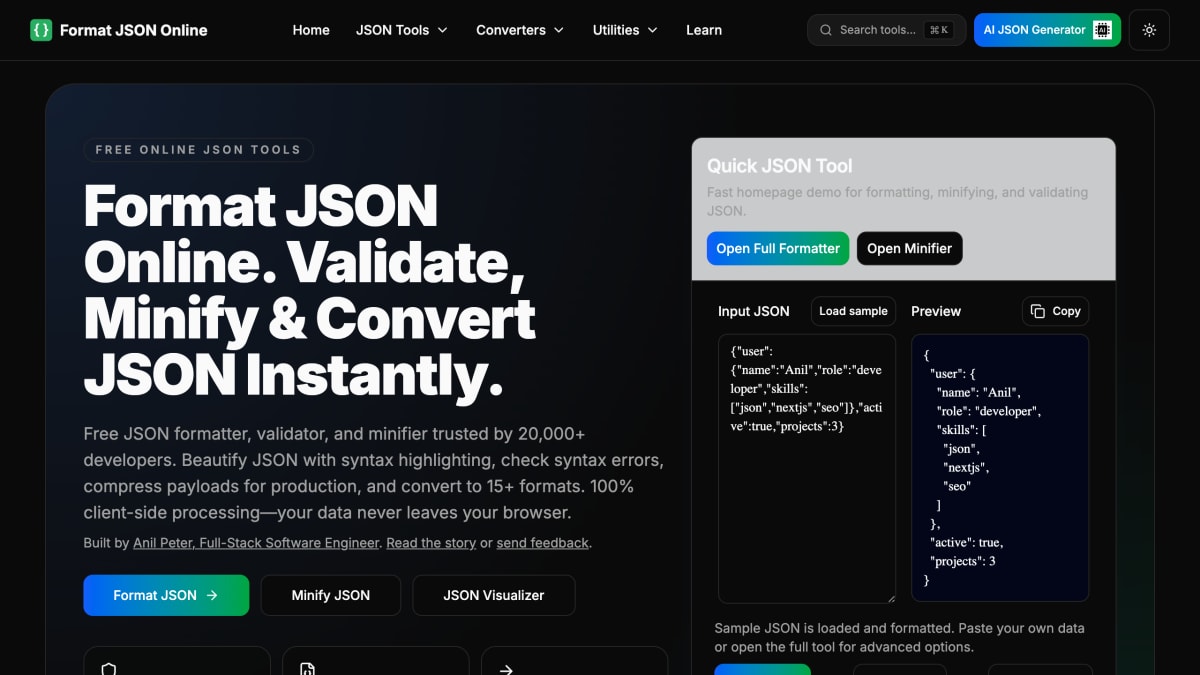
Format JSON Online is a browser-based toolkit for formatting, validating, minifying, and converting JSON data, with all core processing running client-side rather than on a server. It includes a JSON formatter for beautifying and indenting JSON, a validator for locating syntax errors, and a minifier for compressing JSON payloads, alongside conversion tools (including JSON to Excel) and additional utilities such as JSON compare, JSON schema generation, and JSON escape/unescape. The site states it supports files up to 100MB and offers over 60 JSON-related tools in total, along with an AI JSON generator and written tutorials on JSON-related topics.
It is aimed at developers who work with JSON regularly, such as debugging API responses, editing configuration files, or preparing data for production, and who want quick formatting, validation, or conversion without installing software or sending data to a server. No signup is required to use the tools, and the site notes optional AI features use separate, anonymous processing distinct from the client-side core tools.
Key features
- Format and beautify JSON with customizable indentation (2-8 spaces or tabs)
- Validate JSON syntax and locate exact error line numbers
- Minify JSON to reduce file size by 30-50% for production use
- Compare JSON structures side by side and highlight differences
- Convert JSON to 15+ formats including Excel, CSV, XML, and YAML
- Generate JSON schemas from valid JSON
Frequently asked questions
Is Format JSON Online free to use?
Yes, it is a free JSON formatter, validator, and minifier with no signup or installation required.
Is my JSON data kept private?
Yes, all core JSON processing runs 100% client-side in your browser and your data never leaves your device or touches their servers.
What file sizes does the tool support?
The browser-based toolkit supports files up to 100MB.
What is the difference between the formatter, validator, and minifier?
The formatter beautifies JSON with indentation for readability, the validator checks syntax and identifies errors, and the minifier removes whitespace to compress JSON for production.
What formats can JSON be converted to?
The toolkit can convert JSON to 15+ formats, including Excel, CSV, XML, and YAML.


SerpApi - Search API
SerpApi's Search API makes it easy and fast to scrape Google and other search engines.

Show your product to thousands of developers
· 100k monthly pageviews
· 7k newsletter subscribers
You might also like
F5Bot
Productivity/ToolingF5Bot is a free service that emails you when your selected keywords are mentioned on Reddit, Hacker News, or Lobsters. Use it to monitor your brand, your projects, or just topics that you're interested in.
FairPact AI
Legal/Productivity/AIScan contracts & find gotchas before signing.
FinetuneFast
AI/Productivity/ProgrammingFinetune ML models in days, not weeks.
Freeter
Productivity/ToolingGather everything you need for work in one place, organized by projects and workflows, and have a quick access to them. For Win, Linux, MacOS. Free and Open-Source.
FridayGPT
AI/ProductivityFast and Native ChatGPT mac app. Access ChatGPT instantly on top of any app or website.
Frontend Toolkit
Productivity/ProgrammingFrontend Toolkit is a customizable dashboard for your recurring Frontend tasks. Base64 encoder/decoder, SVG optimizations, SVG to JSX and many more!