Browserling
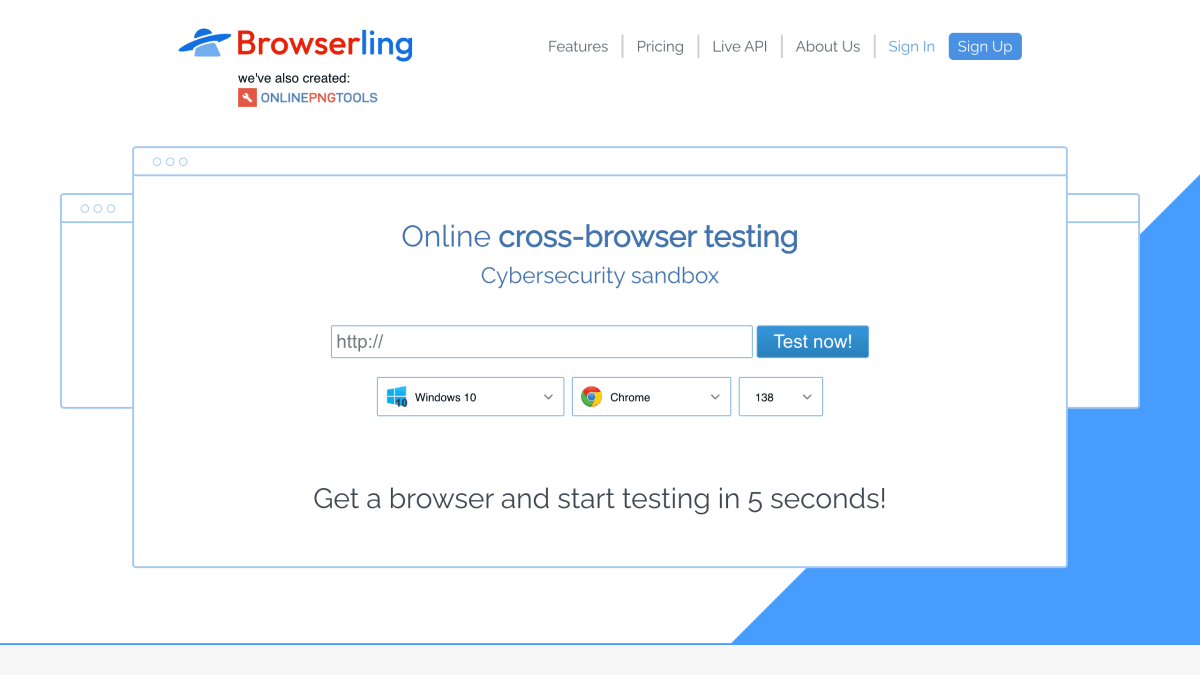
Try for free now! Cross browser test your website immediately in all web browsers - Internet Explorer, Edge, Chrome, Safari, Firefox, and Opera.
About Browserling
Browserling provides online cross-browser testing through real desktop browsers running in virtual machines on its servers, rather than emulators. Users interact live with browsers such as Chrome, Internet Explorer, Firefox, and Opera across multiple versions, with support for responsive testing via adjustable screen resolutions, screenshot capture and annotation, and SSH tunnels for testing local hosts or servers. Browser extensions and bookmarklets are available for Chrome, Firefox, Opera, Safari, IE, and Edge to speed up testing.
The service also functions as a cybersecurity sandbox for browsing suspicious content, with sessions run in isolated, sandboxed environments, SSL-encrypted connections, and no required plugins since it runs on HTML5 and JavaScript. It offers geo-browsing from 100+ locations using data center IPs, residential IPs, real mobile IPs, and Tor exit nodes, along with file transfer in and out of sessions (wiped when the session ends) and mobile testing on real iOS and Android browsers. A Live API allows embedding and automating browsers within other applications.
Plans are offered for individuals (Starter, Developer, Developer Pro) and teams (Team Starter, Team Plus, Team Pro), billed monthly or annually per user, with higher tiers adding broader OS/browser coverage, more geo-browsing countries, residential and mobile IPs, unlimited file uploads/downloads, admin rights, and features like Single Sign-On and dedicated account management at the team level.
Key features
- Live interactive testing on real desktop browsers running in virtual machines, not emulators
- Instant access to the latest browser versions across Chrome, IE, Firefox, and Opera
- SSH tunnels for local testing by reverse-proxying a local host or server into Browserling
- Geo-browsing from 100+ locations including datacenter, residential, mobile, and Tor exit IPs
- Mobile testing on real iOS and Android browsers in isolated sandbox sessions
- Screenshot capture, annotation, and sharing across all browsers
Frequently asked questions
Is there a free tier?
No free tier is listed; the cheapest plan is the Starter plan at $9/month billed annually (discounted from $12).
What browsers and platforms are supported?
Browserling supports real desktop browsers including Chrome, Internet Explorer, Firefox, and Opera, plus mobile testing on real iOS and Android browsers depending on plan.
How do I test a local development server?
Browserling provides SSH tunnels that let you reverse-proxy your local host or local server into Browserling for local testing.
Is there an API for automation?
Yes, the Live API lets you embed browsers in your own application on demand and automate them via an API.
Who is Browserling for?
It targets individual developers doing casual to advanced cross-browser testing as well as teams and enterprises, with separate Individual, Team, Enterprise, and Government plans.


SerpApi - Search API
SerpApi's Search API makes it easy and fast to scrape Google and other search engines.

Show your product to thousands of developers
· 100k monthly pageviews
· 7k newsletter subscribers
You might also like
Angular DevTools
Browser/Extension/ProgrammingAngular DevTools extends Chrome DevTools adding Angular specific debugging and profiling capabilities. You can use Angular DevTools to understand the structure of your application and preview the state of the directive and the component instances. To get insights into the execution of the application, you can use the profiler tab, which shows you the individual change detection cycles, what triggered them, and how much time Angular spent in them.
Blisk
Browser/ProgrammingDownload Blisk - a browser for web developers. Blisk - is a developer oriented browser with devices, URL and scroll sync, auto-refresh, screenshots and screen recorder.
Brave
BrowserThe Brave browser is a fast, private and secure web browser for PC, Mac and mobile. Download now to enjoy a faster ad-free browsing experience that saves data and battery life by blocking tracking software.
BrowserStack
Browser/TestingInstant access to 2000+ browsers and real iOS and Android devices for cross browser testing. Ship apps and websites that work for everyone, every time. Get Free Trial.
Causeway
Browser/Tooling/AIGive your AI a real Chromium browser: Causeway exposes 52 MCP tools to navigate, read, click, type, screenshot, and run JavaScript through CDP.
Check My Links
Browser/ExtensionCheck My Links is a link checker that crawls through your webpage and looks for broken links.