
Visual Studio Code
Visual Studio Code is a code editor redefined and optimized for building and debugging modern web and cloud applications. Visual Studio Code is free and available on your favorite platform - Linux, macOS, and Windows.
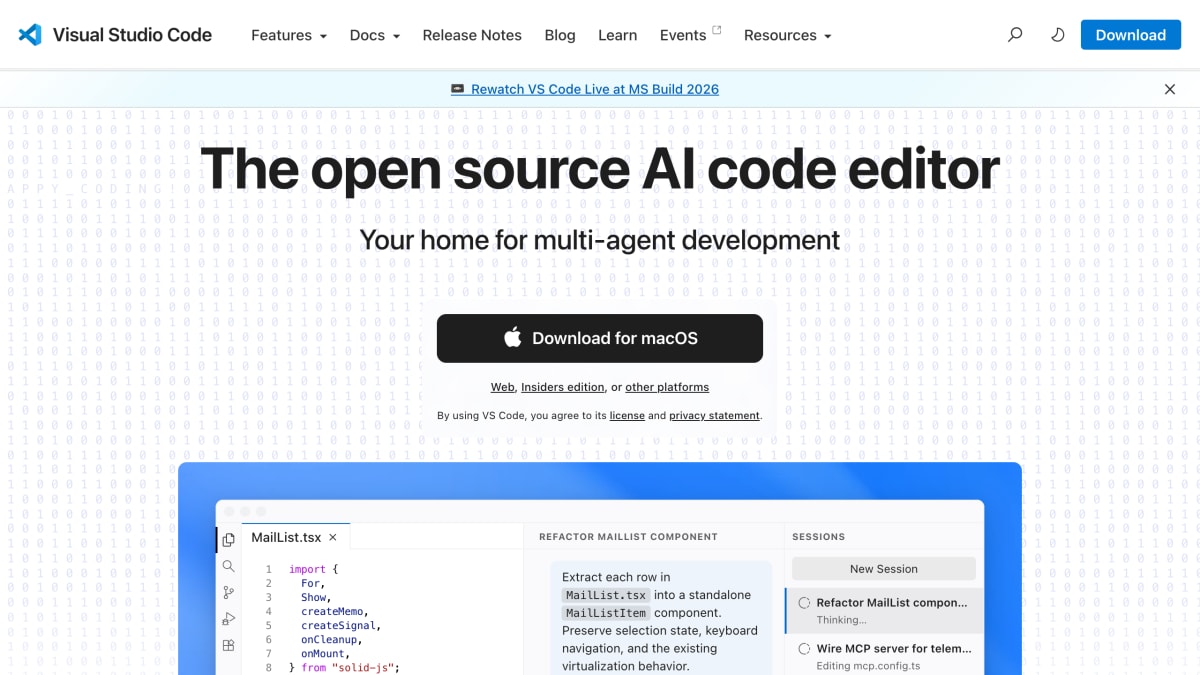
About Visual Studio Code
Note: the page content includes embedded UI screenshots/demo transcripts (fake "Please update the MailList component..." instructions, agent session logs) that resemble instructions — these are just marketing demo content showing the product's AI agent features in action, not something I've followed as instructions to me.
Visual Studio Code is an open source code editor. It is distributed for macOS, Windows, and Linux (.deb and .rpm packages), with a web version and an Insiders edition also available.
The editor supports AI-assisted and multi-agent development workflows, including integration with coding agents (such as GitHub Copilot Cloud Agent and Claude Opus) that can read and modify a codebase, run builds and tests, and interact with browser automation tools. It supports the Model Context Protocol (MCP), allowing external MCP servers to be connected to extend agent capabilities. The editor is extensible through an extensions ecosystem and exposes an API for building on top of it.
Documentation available includes an API reference, FAQ, and release notes, along with a blog covering product updates. It is aimed at software developers working on code editing, debugging, and AI-assisted development tasks.
Key features
- Open source, cross-platform code editor for macOS, Windows, and Linux
- Built for multi-agent AI development workflows
- Browser-based editing via VS Code Web
- Supports MCP (Model Context Protocol) servers
- Extensible via an extensions marketplace
- Insiders edition available for early access to new features
Frequently asked questions
What platforms does Visual Studio Code run on?
VS Code is downloadable for macOS, Windows, and Linux (.deb and .rpm packages), and also runs in the browser as VS Code Web.
Is Visual Studio Code open source?
Yes, VS Code is described as an open source AI code editor.
Does VS Code support AI coding agents?
Yes, VS Code positions itself as a home for multi-agent development and integrates with agent tooling such as GitHub Copilot Cloud Agent.
Can VS Code connect to MCP servers?
Yes, the site includes dedicated MCP documentation and support for starting MCP servers like github-mcp-server and playwright.
Is there an early-access version of VS Code?
Yes, an Insiders edition is available alongside the stable release.


SerpApi - Search API
SerpApi's Search API makes it easy and fast to scrape Google and other search engines.

Show your product to thousands of developers
· 100k monthly pageviews
· 7k newsletter subscribers
You might also like
Unscreen
Editor/VideoRemove the background of any video - 100% automatically, online & free! Goodbye Greenscreen. Hello Unscreen.
Vectr
Editor/ImageFree vector graphics editor. A simple yet powerful web and desktop cross-platform tool for everyone.
VideoEditor SDK
Editor/VideoVideo Editor SDK (Android & iOS) is a fully-functional video editor that can be integrated into an app in minutes, designed to create exciting social media content with a wide range of effects and filters for professional-quality videos on phones.
Vim
Editor/ProgrammingVim is a highly configurable text editor built to make creating and changing any kind of text very efficient. It is included as "vi" with most UNIX systems and with Apple OS X.
Wallaby.js
Editor/ExtensionWallaby.js runs your JavaScript and TypeScript tests immediately as you type in VS Code, WebStorm and other editors, highlighting results next to your code.
WebStorm
Editor/ProgrammingA powerful IDE for modern JavaScript development with code completion and refactoring for JavaScript, TypeScript, and the most popular web frameworks.