Sourcetable
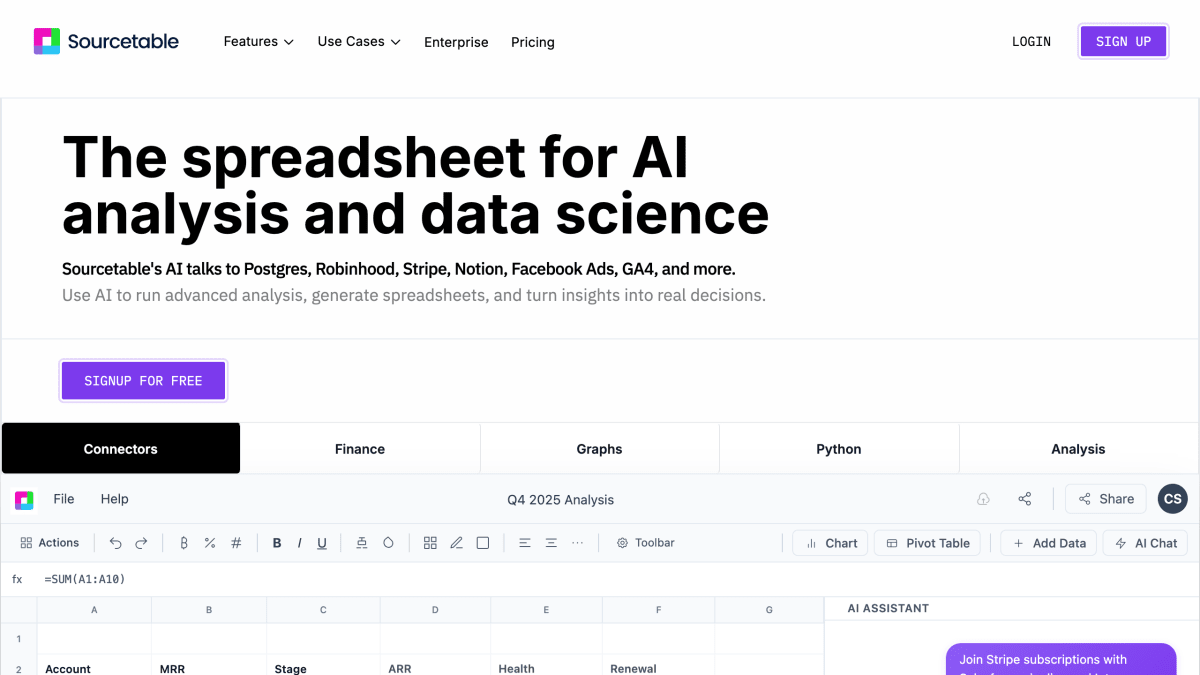
Sourcetable is an AI spreadsheet and data analyst. It has the same notation, formulas and charting as Excel, paired with the world's most advanced AI.
About Sourcetable
Sourcetable is an AI-powered spreadsheet and data analysis tool that connects to databases and applications including Postgres, MySQL, Supabase, BigQuery, PostgreSQL, ClickHouse, GA4, Google Ads, Stripe, Notion, Robinhood, and Facebook Ads. Users can query and analyze data by asking questions in plain English, and the AI can generate charts, clean and reshape data, write formulas, and produce SQL or Python code. It supports file formats including .xls, .xlsx, .csv, .tsv, PDF, JSON, and database data from MySQL, PostgreSQL, and MongoDB, with file sizes up to 10GB.
The product offers A1-style formula referencing familiar to Excel and Google Sheets users, along with a SQL editor and support for Python libraries such as NumPy, Pandas, SciPy, Scikit-learn, StatsModels, Matplotlib, Plotly, and Seaborn. It handles multi-tab spreadsheets, including cross-tab lookups, and can generate downloadable or embeddable visualizations. Security certifications listed include SOC 2 Type 2, HIPAA, and PCI compliance, with options for cloud or on-premises deployment.
The tool targets use cases in finance, sales, marketing, operations, scientific research, education, and startups, covering tasks like financial modeling, campaign analytics, SLA tracking, experiment data analysis, and grading. The base spreadsheet product is free to use, with AI features subject to usage limits and a Pro plan available for additional credits; students and faculty receive a 50% discount on Pro and Max plans.
Key features
- AI chat interface for querying and analyzing spreadsheet data in plain English
- Connects to databases and apps like Postgres, BigQuery, Stripe, Notion, GA4, and Facebook Ads
- Generates charts and visualizations from a prompt, exportable as interactive embeds
- Built-in Python and SQL support with libraries like NumPy, Pandas, SciPy, and Scikit-learn
- Formula fixer and AI-assisted spreadsheet cleaning and formula writing
- SOC 2 Type 2, HIPAA, and PCI-compliant with cloud or on-premises deployment
Frequently asked questions
Is Sourcetable free to use?
Yes, the spreadsheet itself is free to use, similar to Google Sheets. AI features have usage limits, and users can upgrade to a Pro plan for more credits.
What data sources and formats does it support?
It supports spreadsheet formats (.xls, .xlsx, .csv, .tsv), PDF, JSON, and database data from MySQL, PostgreSQL, and MongoDB, plus application data and most plain text data.
What is the maximum file size supported?
Sourcetable supports files up to 10GB, with larger limits available upon request.
Can I use code or programmatic tools instead of just AI chat?
Yes, users have full A1 formula-style referencing, a SQL editor and GUI, or can ask the AI to write Python code.
Is there a student discount?
Students and faculty receive a 50% discount on the Pro and Max plans by emailing support@sourcetable.com.


SerpApi - Search API
SerpApi's Search API makes it easy and fast to scrape Google and other search engines.

Show your product to thousands of developers
· 100k monthly pageviews
· 7k newsletter subscribers
You might also like
Seline
AnalyticsSeline is a simple & private website and product analytics. Cookieless, lightweight, independent.
Simple Analytics
AnalyticsSimple Analytics gives you the analytics you need without invading the privacy of your users, with a clean interface, and simple integration. GDPR, CCPA and, PECR compliant because we don't handle PII data and set no cookies.
SocialKit
Marketing/Analytics/AIAnalyze Social Media Videos with a simple API.
Splitbee
AnalyticsSplitbee provides Analytics, Automation, User Funnel and A/B Testing.
Supercamp
Productivity/AI/AnalyticsA managed AI interface that connects everything — LLM providers, MCP tools, your workflows.
Swetrix
AnalyticsSwetrix is a privacy-focused, fully cookieless and opensource web analytics service with a free tier for small websites.