
SkimAI
The ultimate AI copilot for your email inbox.
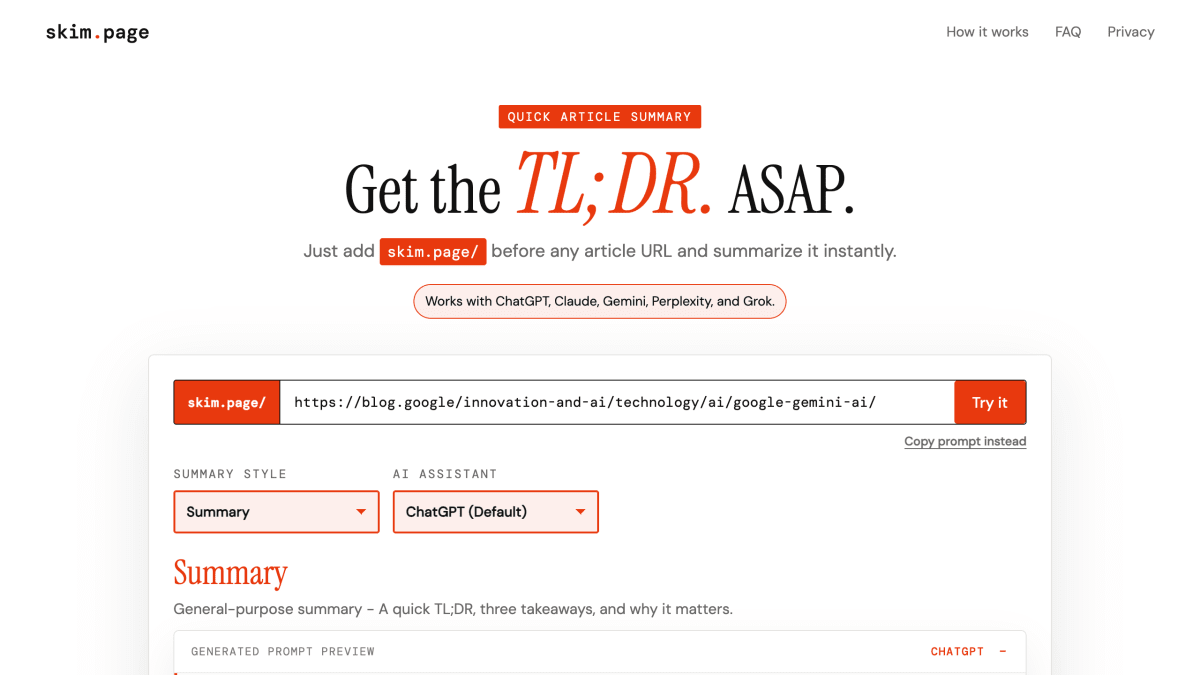
About SkimAI
SkimAI is a browser-based utility that generates summarization prompts for articles and hands them off to an AI assistant. Users prepend "skim.page/" to any article URL, and the tool redirects the browser tab to a chosen AI assistant with a pre-built prompt requesting a summary. It supports ChatGPT, Gemini, Claude, Perplexity, and Grok as destination assistants.
The tool offers multiple summary styles, including a general-purpose default (TL;DR, three key takeaways, and why it matters), as well as ELI5, Research, and Investor formats. Users select a style and assistant by adding shortcut codes before the article URL, or by using full names in the URL path.
According to the FAQ, skim.page only sees the article URL entered by the user in order to construct the prompt. It runs in the browser, does not scrape article content, does not create user accounts, and does not store prompts. The article URL or generated prompt may still be received by hosting infrastructure, the user's browser history, or the AI assistant that is opened.
Key features
- Prepends article URLs to generate ready-made summary prompts
- Redirects to your chosen AI assistant with the prompt pre-filled
- Supports ChatGPT, Claude, Gemini, Perplexity, and Grok
- Multiple summary styles including General Summary, ELI5, Research, and Investor
- Shortcut syntax to combine summary style and AI assistant in one URL
- Runs entirely in the browser without creating accounts
Frequently asked questions
Is skim.page free to use?
The page content does not mention any pricing details.
What AI assistants does skim.page work with?
It works with ChatGPT, Claude, Gemini, Perplexity, and Grok.
Does skim.page store my data or scrape articles?
No, the app runs in your browser and does not scrape the article, create accounts, or store prompts, though it does see the article URL to build the prompt.
How do I use skim.page?
Add skim.page/ before any article URL, then open your AI assistant, which redirects with a ready-made summary prompt.
Can I customize the summary style?
Yes, you can add a summary style shortcut like ELI5, Research, or Investor, and an AI assistant shortcut before the article URL.


SerpApi - Search API
SerpApi's Search API makes it easy and fast to scrape Google and other search engines.

Show your product to thousands of developers
· 100k monthly pageviews
· 7k newsletter subscribers
You might also like
Mailgun
Email/MarketingPowerful Transactional Email APIs that enable you to send, receive, and track emails, built with developers in mind.
One.com
Domain/Hosting/EmailWeb hosting, Domain, Hosting & E-mail.
Resend
Email/MarketingThe best email API to reach humans instead of spam folders. Build, test, and deliver transactional emails at scale.
Truelist
Email/Marketing/ProductivityTruelist is a subscription-based email verification platform that provides unlimited email validation for sales and marketing lists.
Zenlogin
Authentication/Email/SecuritySecurity API which uses user agent, geolocation and AI and Machine Learning signals to notify your users when a suspicious login occurs. Sends out those familiar.
Zyntra
EmailUnlimited e-mail inboxes with API/UI access. Catch OTPs, reset links, and sign-up emails in your test flows.