RunJS
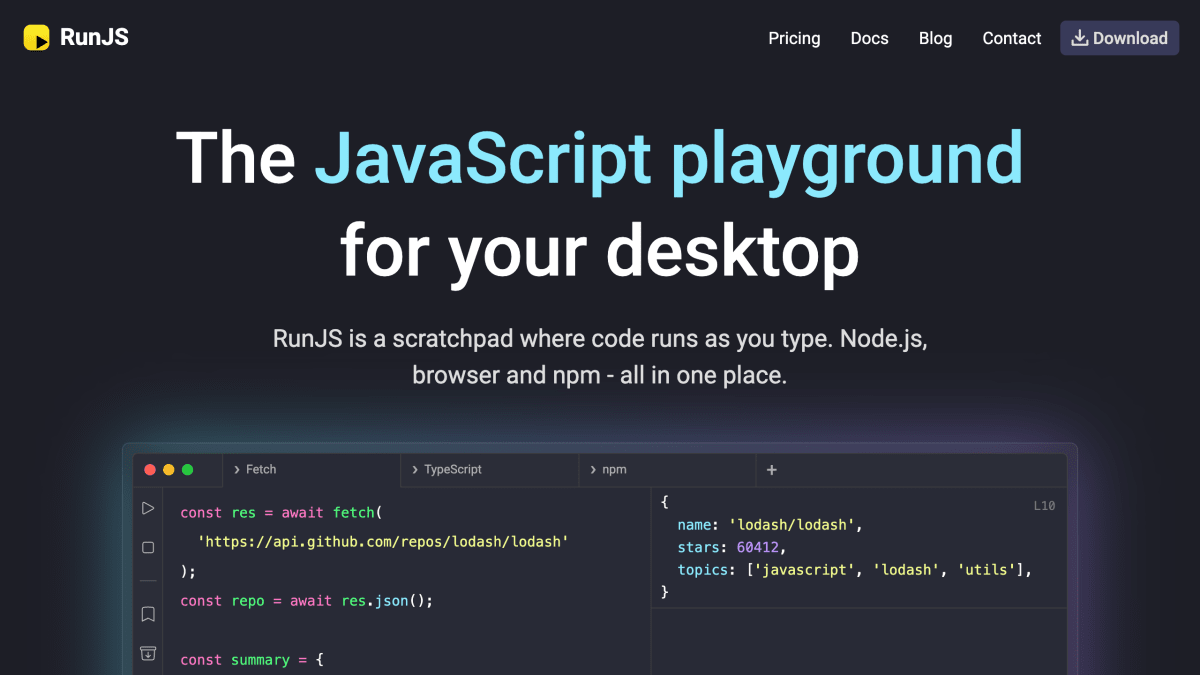
RunJS is a desktop JavaScript playground that evaluates your code as you type and gives instant feedback. Ideal for prototyping ideas or trying out new libraries.
About RunJS
RunJS is a desktop application that provides a JavaScript scratchpad or playground where code executes as it is typed, with results displayed inline. It includes built-in Node.js and browser environments in a single application, and supports TypeScript and Babel transpilation. Users can install and reference npm packages directly within the app, import local Node modules, and inspect values using Magic Comments and Logpoints without adding console.log statements. It is available for macOS, Windows, and Linux, with the latest version listed as 4.1.0.
The application supports saving and reusing code snippets in a snippet library, and includes a feature for generating and running code through an AI chat interface. Additional platform-specific package formats are offered for Linux, including AppImage and .deb builds for x64 and Arm64 architectures.
RunJS is aimed at developers who need to quickly test JavaScript or TypeScript snippets, experiment with npm libraries, debug code, or prototype ideas without setting up a full project environment. It is also used in educational contexts, including coding instruction, tutoring, and bootcamp teaching, and the vendor states it is trusted by over 10,000 developers. It is developed by Haas Labs Ltd.
Key features
- Live JavaScript scratchpad that runs code as you type
- Built-in Node.js and browser environments in one app
- Install and experiment with npm packages
- TypeScript support and Babel transpilation
- Inspect values via Magic Comments and Logpoints without console.log
- Chat with AI to generate and run code
Frequently asked questions
What platforms does RunJS support?
RunJS is available as a desktop app for macOS, Windows, and Linux (AppImage and .deb, x64 and Arm64).
Does RunJS support TypeScript?
Yes, RunJS supports TypeScript and uses Babel transpilation.
Can I use npm packages in RunJS?
Yes, RunJS lets you install and experiment with npm packages directly in the playground.
Who is RunJS for?
It's used by professional developers, educators, and students for prototyping, debugging, learning, and teaching JavaScript.
Is RunJS free?
RunJS offers a free download.


SerpApi - Search API
SerpApi's Search API makes it easy and fast to scrape Google and other search engines.

Show your product to thousands of developers
· 100k monthly pageviews
· 7k newsletter subscribers
You might also like
readme.so
Editor/ProgrammingUse readme.so.
Rider
Editor/ProgrammingDevelop .NET, ASP.NET, .NET Core, Xamarin or Unity applications on Windows, Mac, Linux.
RubyMine
Editor/ProgrammingThe Ruby and Rails IDE with first-class support for Ruby and Rails, JavaScript and CoffeeScript, ERB and HAML, CSS, Sass and Less, and more.
Screen Studio
Editor/VideoScreen Studio is a professional and simple to use screen recorder for macOS that lets you create professionally looking screen recordings & tutorial videos in minutes, without video editing skills needed.
Spyder
Editor/ProgrammingSpyder is a free and open source scientific environment written in Python, for Python, and designed by and for scientists, engineers and data analysts. It features a unique combination of the advanced editing, analysis, debugging, and profiling functionality of a comprehensive development tool with the data exploration, interactive execution, deep inspection, and beautiful visualization capabilities of a scientific package.
Stryng
Editor/SEO/WritingStryng is an AI-powered platform designed to improve the process of content creation. It is both an article generator and editor, equipped with an AI Assistant that helps perfecting high-quality articles.