Pintura
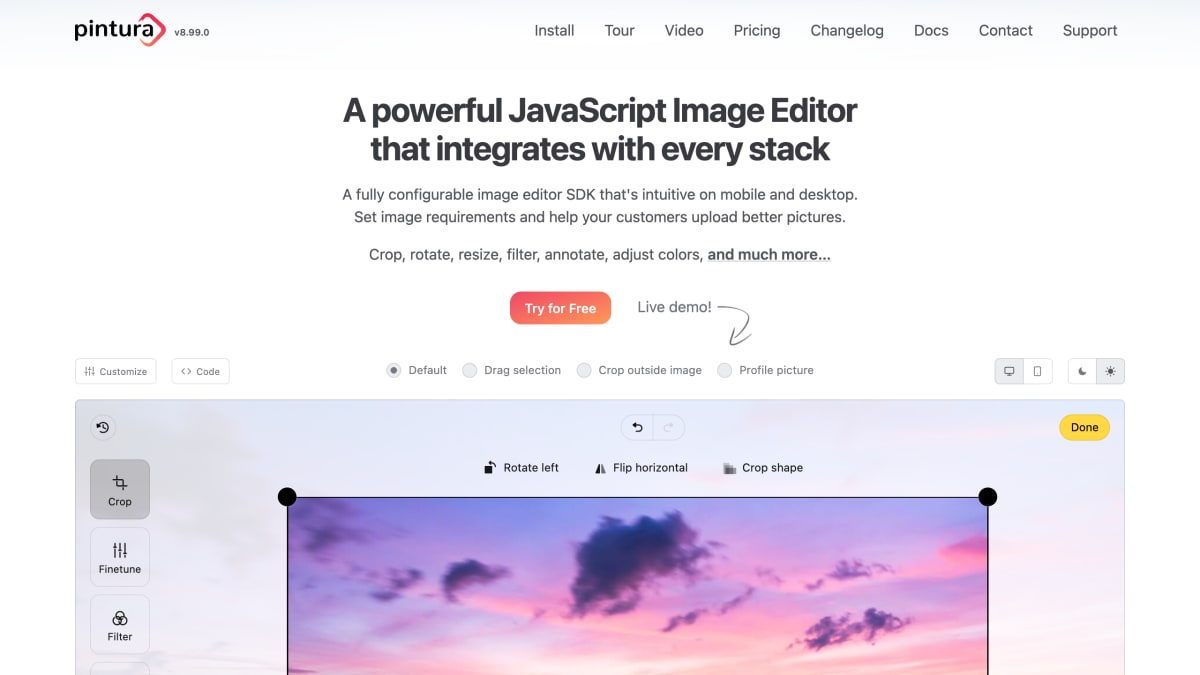
A powerful JavaScript Image Editor that integrates with every stack.
About Pintura
Pintura is a JavaScript image editor SDK that runs in the browser and integrates into web applications. It supports cropping, rotating, resizing, flipping, filtering, color adjustment, and annotation (rectangles, circles, lines, arrows, text, freedraw), as well as watermarking, image censoring/blurring, and orientation autocorrection. It handles common raster formats (GIF, PNG, WEBP, JPEG, BMP), preserves PNG transparency, copies JPEG EXIF data, and can compress or convert images and resize them to target output dimensions.
It is written in vanilla JavaScript with no dependencies, includes a TypeScript declaration file, and is built to work standalone or with frameworks including jQuery, React, Vue, Angular, Svelte, and Alpine, as well as Next.js, Nuxt.js, Electron, React Native, Cordova, Ionic, and Capacitor. It integrates with file upload libraries such as Dropzone, FilePond, Uppy, and jQuery File Upload, and can be styled with CSS custom properties or common CSS frameworks like Tailwind, Bootstrap, and Foundation.
The product targets developers building applications that accept user-uploaded images, such as profile pictures or user-generated content, where enforcing aspect ratios, crop guides, and image requirements before upload is needed. A separate Video Editor extension adds video cropping and color editing capabilities.
Key features
- Crop, rotate, resize, flip, and apply photo filter effects in the browser
- Enforce fixed or preset crop aspect ratios
- Compress and convert images (JPEG, WEBP, PNG, GIF, WEBP, BMP) to reduce upload size
- Add annotations, shapes, text, and automatic watermarks to images
- Integrates with jQuery, React, Vue, Svelte, Angular, and vanilla JavaScript
- Works with file upload libraries like Dropzone, FilePond, Uppy, and jQuery File Upload
Frequently asked questions
What frameworks and platforms does Pintura support?
Pintura works with JavaScript Custom Elements, jQuery, React, Vue, Angular, Svelte, and Alpine, and is also compatible with TypeScript, Electron, React Native, Cordova, Ionic, Capacitor, Next.js, and Nuxt.js.
Does Pintura have any dependencies?
No, Pintura is written in vanilla JavaScript with no dependencies and includes a TypeScript declaration file.
Can I try Pintura before buying?
Yes, Pintura offers a free trial ("Try for Free") and a live demo on its website.
What file upload libraries does Pintura integrate with?
Pintura provides ready-to-use integrations for Dropzone, FilePond, Uppy, and jQuery File Upload.
Who is Pintura for?
Pintura is aimed at developers who need to add image editing, cropping, and upload-quality enforcement to web and mobile applications, and is used by companies such as Miro.


SerpApi - Search API
SerpApi's Search API makes it easy and fast to scrape Google and other search engines.

Show your product to thousands of developers
· 100k monthly pageviews
· 7k newsletter subscribers
You might also like
Layoutit Grid
Code GeneratorQuickly design web layouts, and get HTML and CSS code. Learn CSS Grid visually and build web layouts with our interactive CSS Grid Generator.
Marblism
AI/Code GeneratorGenerate a SaaS boilerplate from a prompt.
Mkdirs
Tooling/Code Generator/ProductivityLaunch profitable directory website in minutes.
PineGen AI
Code GeneratorPineGen AI is an AI-powered, no-code Pine Script generator for TradingView. Turn plain English into error-free strategies, backtest, and refine code easily.
Vemto
Code GeneratorDesign and generate Laravel/PHP applications in minutes with this desktop tool.
Web Code Tools
Code GeneratorWeb Code Tools is a suite of code generators for HTML, CSS, Meta Tags, Open Graph, Structured Data, Twitter Cards and more.