AppMockUp
Use AppMockUp, the world's most powerful screenshot builder to create the most compelling screenshots for your app.
About AppMockUp
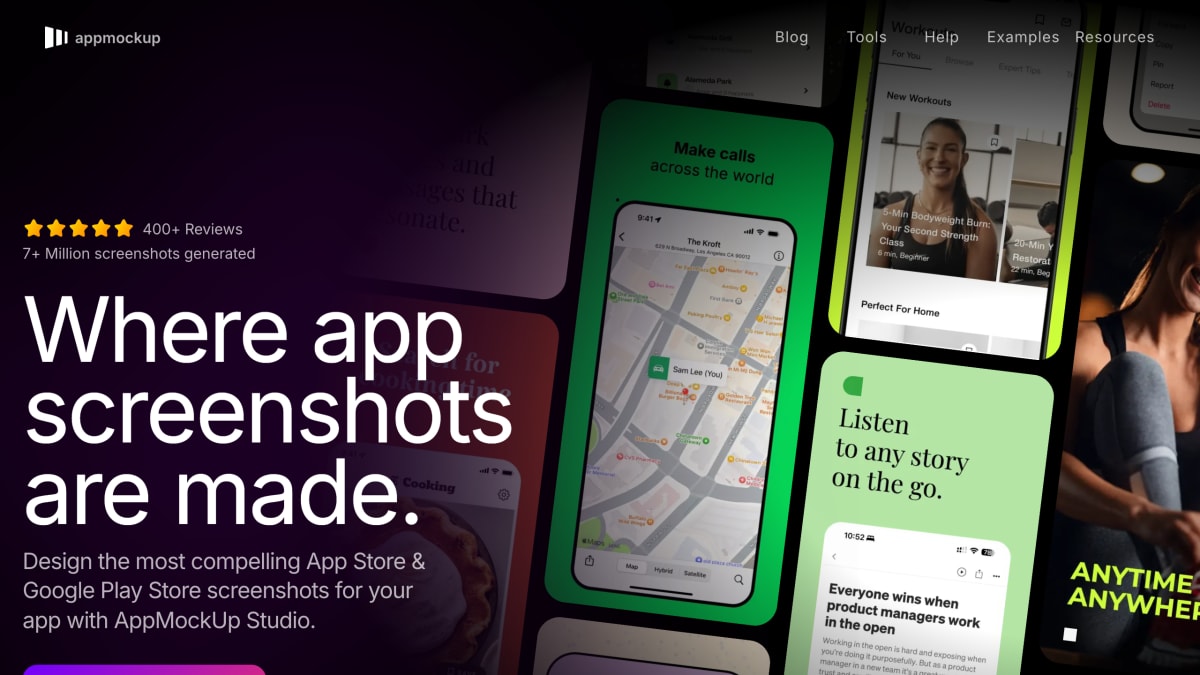
AppMockUp Studio is a web-based tool for designing App Store and Google Play Store screenshots. It works from templates and lets users customize device frames (including different device models, colors, and clay or real frame styles), position and resize devices within the screenshot, and connect multiple screenshots with panoramic backgrounds that adjust automatically as screenshots are added or removed. Users can add logos or icons, edit title and subtitle text with custom backgrounds and decorations, generate background patterns and mesh gradients, and add highlights to emphasize features.
The tool includes a preview mode showing how screenshots will appear on the App Store and Google Play Store before export, and a feature for creating one design usable across both platforms. It requires no account to use.
It is aimed at app developers and founders who need to produce store screenshots for iOS and Android app listings.
Key features
- Design App Store and Google Play Store screenshots from templates
- Customize device frames with solid clay colors or real frames, resize/rotate/position
- Auto-adjusting panoramic backgrounds that connect multiple screenshots
- Add logos, icons, custom titles and subtitles with decorations
- Generate custom background patterns and mesh gradients
- Preview screenshots on the App Store and Google Play Store before exporting
Frequently asked questions
Is AppMockUp Studio free to use?
Yes, it is free and requires no account to start designing.
What platforms can I design screenshots for?
It supports both the App Store and Google Play Store, including a beta feature to create one design for both platforms.
Who is AppMockUp Studio for?
It is for app developers and creators who need to design compelling app screenshots quickly and easily.
Can I preview my screenshots before uploading them?
Yes, you can preview how your screenshots will look on the App Store and Google Play Store before you export them.


SerpApi - Search API
SerpApi's Search API makes it easy and fast to scrape Google and other search engines.

Show your product to thousands of developers
· 100k monthly pageviews
· 7k newsletter subscribers
You might also like
Balsamiq
Design/Prototyping/UIBalsamiq is the company behind Balsamiq Wireframes, the industry standard low-fidelity wireframing tool.
Brainboard
Cloud Computing/PrototypingVisually Design, Deploy & Manage modern cloud infrastructures starting from any Cloud Provider - AWS, GCP, Azure.
Compot
Prototyping/UIDesign and develop SwiftUI apps faster with Compot – a growing library of crafted SwiftUI components and templates ready to copy and use in your iOS apps.
Figma
Design/Prototyping/UIBuild better products as a team. Design, prototype, and gather feedback all in one place with Figma.
Fluid UI
Prototyping/UIFree lifetime account. Simple to learn, quick to master. Design interactive prototypes for Android, iOS, web and desktop in minutes.
Framer
Prototyping/UI/Website BuilderStart your website with AI and design on a familiar canvas. Add animations, interactions and a CMS. Optimize for every breakpoint — no code needed and publish for free.