TestingWhiz
Experience effective test automation of web & mobile apps with an easy & intuitive codeless end-to-end software testing tool, TestingWhiz. Download 30-days free trial.
About TestingWhiz
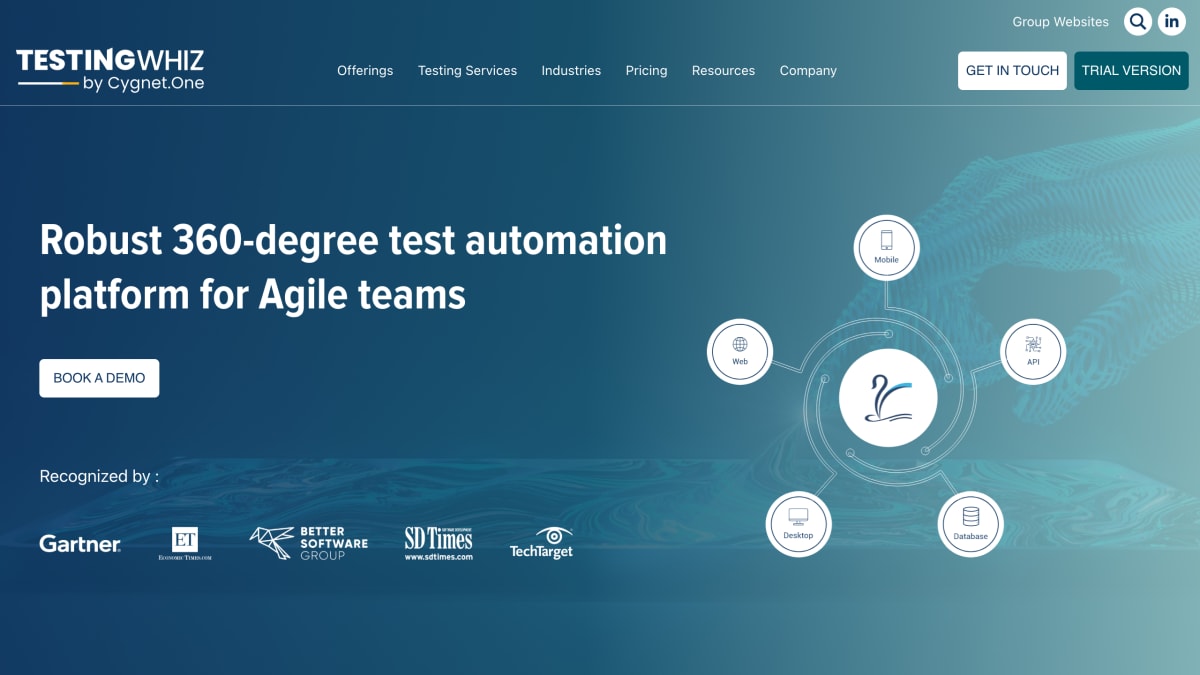
TestingWhiz is a codeless test automation platform for web, mobile, desktop, database, API, and FTP testing, allowing multiple testing scenarios to be combined within the same test case. It includes a record-and-playback recorder, an object spy for locating and inspecting page elements, and self-healing test cases that update automatically when an object property changes. Existing Selenium tests can be imported and edited through a built-in Selenium Java editor, and the tool also includes integrated Python and JavaScript editors for handling custom scripts.
The platform automates web browser actions, REST/SOAP/GraphQL web services, database health and comparison checks, FTP transfers, and browser extension interactions. Mobile testing covers Android and iOS web and native apps via Appium, and desktop automation covers Microsoft-based applications such as WPF and Window.net through a visual recorder. Cross-browser testing is supported across Chrome, Firefox, Internet Explorer, Edge, Edge Chromium, and headless browsers, with integration for BrowserStack, LambdaTest, and Sauce Labs.
Additional features include a job scheduler for running and emailing test reports at defined times, OCR-based text extraction from images using Google Vision API and Tesseract, and reporting in HTML and PDF formats with trend analysis, screenshots on failure, and execution recording videos. It integrates with CI/CD tools including Azure DevOps, Jenkins, AWS, and Bamboo, and offers a 15-day free trial. The product targets Agile teams performing test automation across web, mobile, desktop, and backend systems, including industries such as BFSI, healthcare, ISVs, and telecom.
Key features
- Codeless test automation for web, mobile, desktop, database, API, and FTP testing
- Record & playback with AI-based Object Eye recorder and auto-healing test cases
- Cross-browser testing on Chrome, Firefox, IE, Edge, and cloud platforms like BrowserStack and Sauce Labs
- Selenium test import and Java/Python/JavaScript editors for custom scripting
- CI/CD integration with Jenkins, Azure DevOps, AWS, and Bamboo
- OCR-based text extraction from images using Google Vision API and Tesseract
Frequently asked questions
Is there a free trial?
Yes, TestingWhiz offers a 15-day free trial.
What platforms and applications can it test?
It supports web, mobile (Android and iOS via Appium), desktop (Microsoft-based apps like WPF and Window.net), database, and FTP testing.
Does it integrate with CI/CD tools?
Yes, it integrates with Jenkins, Azure DevOps, AWS, and Bamboo via TestingWhiz CI plugins.
Can existing Selenium tests be reused?
Yes, the built-in Selenium Java editor lets users import existing Selenium test cases without rewriting them.
What browsers does it support for cross-browser testing?
It supports Chrome, Firefox, Internet Explorer, Microsoft Edge, Edge Chromium, and headless browsers, plus cloud execution via BrowserStack, LambdaTest, and Sauce Labs.


SerpApi - Search API
SerpApi's Search API makes it easy and fast to scrape Google and other search engines.

Show your product to thousands of developers
· 100k monthly pageviews
· 7k newsletter subscribers
You might also like
Testing Library
TestingSimple and complete testing utilities that encourage good testing practices.
Testing Playground
TestingSimple and complete DOM testing playground that encourage good testing practices.
TestingBot
TestingManual and Automated testing on 5000+ browsers and mobile devices online. Make sure your website and mobile app looks and functions correctly on all devices. Free 14 day trial.
TestSprite
Testing/AI/ToolingThe most powerful AI testing tool for testing, fixing, and validating your software in one automated flow.
ValidateHTML
Testing/Tooling/SEOFree online validation tools for HTML, CSS, JSON, XML, meta tags, and Open Graph. Get instant quality scores from 0 to 100.
Velocity
UX/Prototyping/TestingOn-demand feedback for Figma prototypes.