TestDriver
AI QA agent for comprehensive testing & debugging. Boost productivity, ensure accuracy, and save time with this versatile tool.
About TestDriver
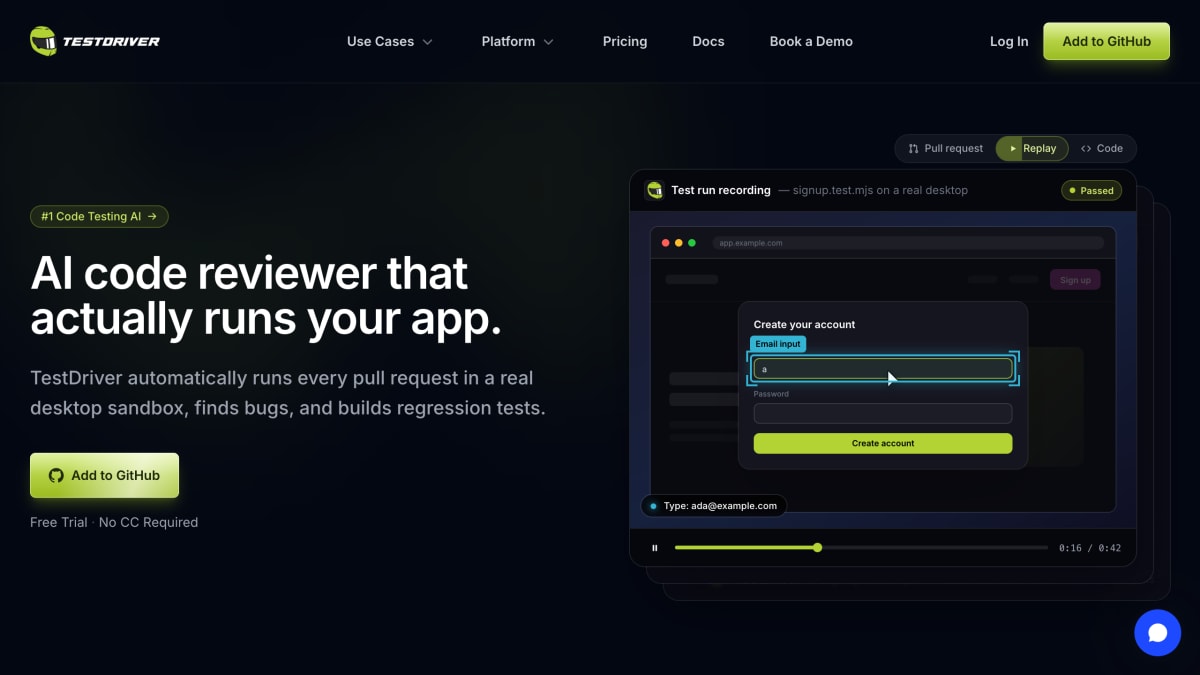
TestDriver is an AI-powered end-to-end testing tool that integrates with GitHub, automatically running pull requests in a real desktop sandbox to find bugs and build regression tests. Instead of relying on selectors or DOM access, it uses an AI vision agent that reads the screen, clicks, and types to execute test flows described in plain English, then generates test code (using a Vitest-based format) automatically. Found elements are cached with a vision fingerprint so subsequent runs replay deterministically without repeated AI calls, and when the UI changes, the system re-invokes the AI to relocate elements and update the cache rather than failing outright.
It is aimed at engineering teams that need to test applications across web, desktop, and browser extension contexts, including third-party web apps without source access, Chrome extensions, native Windows and macOS applications, VS Code extensions, and content such as canvases, video players, iframes, OAuth flows, file uploads, PDFs, and LLM chatbots. Tests run in CI/CD pipelines, support assertions validated by an AI "judge" that returns a boolean with reasoning, and results can be exported to JUnit XML. The debugging interface provides video replay, network logs, request/response inspection, CPU and memory monitoring, and a step-by-step action log, alongside tracking of pass rates, flaky tests, and failure trends over time.
Pricing includes a free trial with no credit card required, a Pro plan at $24/month per user with 10 testing hours per month (overage billed at $3.60/hour) and community support, and an Enterprise plan with custom license-based billing, private AWS deployments, bring-your-own-keys, and enterprise support. Hosting is available via AWS.
Key features
- AI vision agent generates end-to-end tests from plain-English descriptions without selectors or DOM access
- Runs tests in a real desktop sandbox on Windows, covering web, desktop, Chrome extension, and VS Code extension apps
- Self-healing tests that re-locate UI elements and update the cache when the interface changes
- Runs as plain Vitest tests in CI/CD pipelines alongside existing workflows
- AI-judge assertions that validate outcomes with a boolean result and reasoning
- Debug view with video replay, network logs, CPU/memory monitoring, and step-by-step action logs
Frequently asked questions
Is there a free tier or trial?
Yes, TestDriver offers a free trial with no credit card required, and the Pro plan includes 10 testing hours per month for $24/user/month.
What happens if I exceed my plan's usage?
On the Pro plan, overage hours beyond the included 10 per month are billed at $3.60/hour.
What platforms and app types can TestDriver test?
It can test web apps, Chrome extensions, desktop apps on Windows and macOS, and VS Code extensions, including third-party apps you don't own the source code for.
How do I write and run tests?
Tests are written in plain Vitest syntax using the testdriverai library and run the same on your machine and in CI on real VMs.
Does TestDriver integrate with GitHub?
Yes, it can be added directly to GitHub to automatically run on every pull request and post results as checks.


SerpApi - Search API
SerpApi's Search API makes it easy and fast to scrape Google and other search engines.

Show your product to thousands of developers
· 100k monthly pageviews
· 7k newsletter subscribers
You might also like
Tailwind CSS
Library/Programming/UIDocumentation for the Tailwind CSS framework.
TailwindComponents
Library/Programming/UITailwind CSS examples from components by the community. Tailwind chart, grids, inputs, forms, templates and much more.
Test Automation University
Learn/Programming/TestingBecome a test automation superstar! 🌟.
Testing JavaScript
Learn/ProgrammingThis course will teach you the fundamentals of testing your JavaScript applications using ESlint, TypeScript, Jest, and Cypress.
The Changelog
Podcast/ProgrammingNews and podcasts for developers.
The Coding Train
Programming/YouTube ChannelAll aboard! The Coding Train is on its way with creative coding video tutorials on subjects ranging from the basics of programming languages like JavaScript to algorithmic art, machine learning, simulation, generative poetry, and more. Choo choo!