





🎁 Black Friday: 40% off the first payment of every plan, and Skip the queue for $29, through December 6.
REA is in the queue
It will be published on December 27, 2026.
From $29 instead of $49, live within minutes
Added from GitHub
Added from the open-source list.
In the queue
Until December 27, 2026.
Live
Listed on Dev Resources, with a link to its website.

REA
AI, Security, Tooling
Local CLI and MCP tools for agents to inspect binaries and JavaScript/Electron apps with evidence. Deep native analysis needs Hopper, Ghidra, or IDA.
About REA
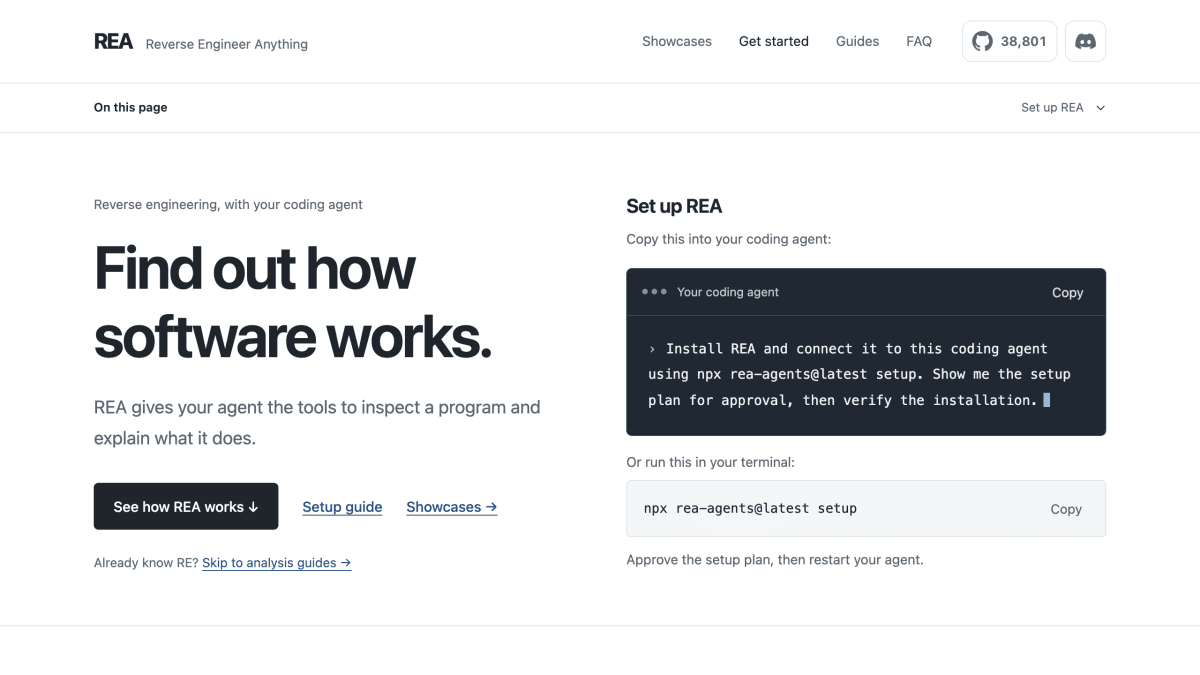
REA is a developer tool that connects to a coding agent and provides it with the ability to inspect installed software and running programs to determine how specific features work. It installs via `npx rea-agents@latest setup`, which connects it to the user's coding agent; it can also connect to a program through a local debugging endpoint for inspection of running applications such as browser-based software.
The tool retrieves low-level technical material, including decompiled code, disassembled instructions, and loaded scripts, from the target program and passes this to the coding agent, which interprets the findings and explains the underlying logic or rule governing a behavior. Example use cases shown include inspecting Windows Calculator to recover the logic behind its percent button and inspecting a browser game to recover its speed-acceleration rule, in each case using the recovered logic to rebuild a small working version of the feature.
It is intended for use alongside a coding agent rather than as a standalone application, aimed at developers who want to understand, modify, or reproduce the behavior of existing software by examining the program itself rather than its documentation.
Key features
- Inspects running programs and apps for coding agents to reverse engineer behavior
- Decompiles and reads native code (e.g. x64 instructions) from installed applications like Windows Calculator
- Reads running JavaScript from a webpage via a local debugging connection
- Installs and connects to a coding agent via a single setup command (npx rea-agents@latest setup)
- Supplies instructions, decompiled code, and call traces for an agent to explain and rebuild logic
Frequently asked questions
How do I install REA?
Run `npx rea-agents@latest setup` in your terminal, or have your coding agent run it and show a setup plan for approval before verifying the installation.
What platforms or targets can REA inspect?
REA can inspect installed native applications like Windows Calculator (x64 instructions) and running browser-based JavaScript, such as a game's script, via a local debugging connection.
Who is REA for?
It is for developers using a coding agent who want to reverse engineer how a piece of software works well enough to explain, change, or rebuild it.
How do I use REA once installed?
You give your coding agent a plain-English prompt, such as asking it to inspect an app or page and explain a specific behavior, and REA supplies the underlying code for the agent to analyze.

Thordata
Reliable residential proxies for web scraping and automation: over 100 million real residential IPs across 190+ countries, plus a SERP API, Web Scraper API and Web Unlocker.

SerpApi - Search API
SerpApi's Search API makes it easy and fast to scrape Google and other search engines.
Show your product to thousands of developers
· 100k monthly pageviews
· 9k newsletter subscribers