





🎁 Black Friday: 40% off the first payment of every plan, and Skip the queue for $29, through December 6.
NOS Workspace is in the queue
It will be published on December 18, 2026.
From $29 instead of $49, live within minutes
Submitted
Received for review.
In the queue
Until December 18, 2026.
Live
Listed on Dev Resources, with a link to its website.

NOS Workspace
Productivity
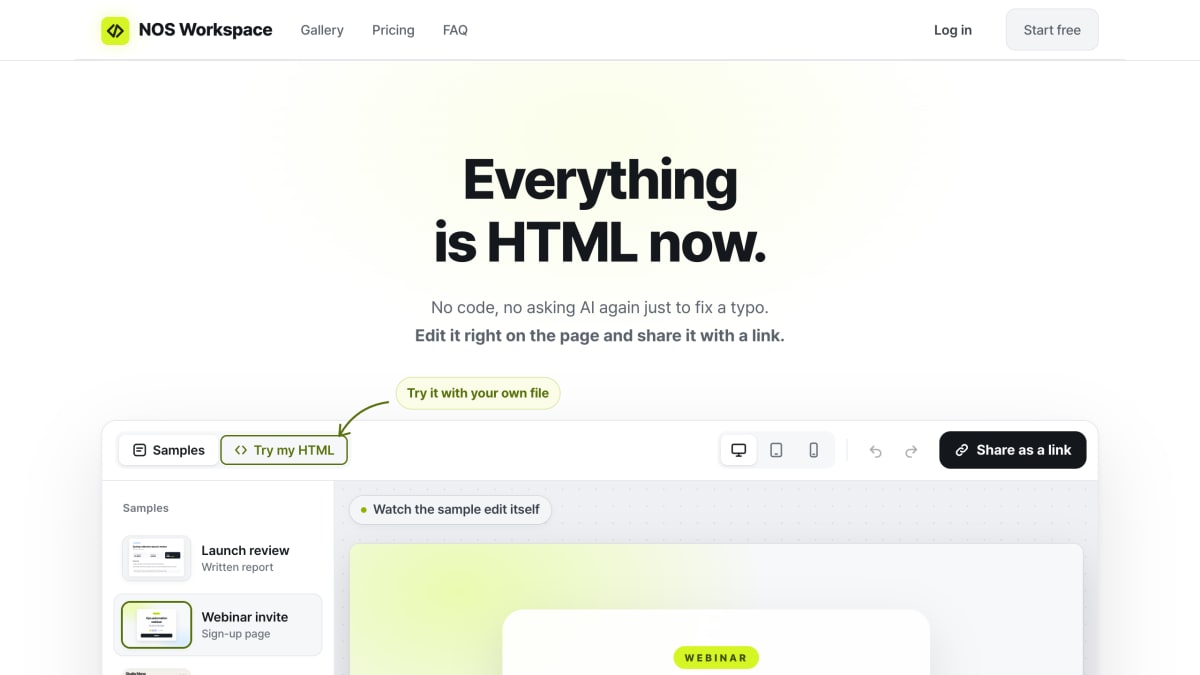
Paste HTML, edit text on the rendered page, and share one link. For reports, presentations, portfolios and front-end prototypes.
About NOS Workspace
NOS Workspace is a team workspace for documents and HTML files. Users can paste HTML or drop an .html file to edit it directly on the page, including embedded images and scripts, and share the result through a link that stays the same across edits. Scripts and animations inside shared HTML run on a separate domain from the viewer's session.
Shared links can be opened without an account, while creating a link requires logging in. Workspaces support a team folder combining docs and HTML files, full-text search across content including text inside HTML, version history, and, on team plans, live co-editing with editor/read-only roles. An MCP connection allowing tools such as Claude, ChatGPT, and Cursor to save content directly to NOS is described as in development.
The product is aimed at teams that write and share reports, dashboards, or documents containing interactive HTML. Plans include Free, Personal, Team, and Enterprise tiers; the Free plan allows unlimited documents with up to three simultaneous share links, which carry a NOS badge, while paid plans remove the badge and add unlimited share links and team collaboration features. The service is operated by Hoyeon Yeo, an individual based in the Republic of Korea.
Key features
- Edit HTML files directly in the browser by clicking text
- Share edited pages via a stable link that never changes
- Paste or drop an .html file with scripts, charts, and animations intact
- Full-text search across docs and HTML content, including inside HTML bodies
- Live co-editing with roles like editor and read-only on Team plan
- Password or email-restricted share links
Frequently asked questions
Is there a free tier?
Yes, the free plan offers unlimited documents and up to 3 active share links at a time, though published pages carry a NOS badge.
Do I need to sign up to use it?
Pasting and previewing HTML require no login, but creating a shareable link does require signing up.
Does HTML with scripts and animations still work?
Yes, scripts, animations, and calculators keep running because they run on a separate domain from your session.
Can I connect it to AI tools like Claude or Cursor?
An MCP connection for AI tools like Claude, ChatGPT, and Cursor is in development; for now you must paste or drop a file manually.
Do I need to migrate all my existing files to start?
No, you can start with just your next document without migrating anything else.

Thordata
Reliable residential proxies for web scraping and automation: over 100 million real residential IPs across 190+ countries, plus a SERP API, Web Scraper API and Web Unlocker.

SerpApi - Search API
SerpApi's Search API makes it easy and fast to scrape Google and other search engines.
Show your product to thousands of developers
· 100k monthly pageviews
· 9k newsletter subscribers