
Eagle App
Unify your creative inspiration in one place. Store anything – inspiring images, design mockups, illustrations, screenshots and more.
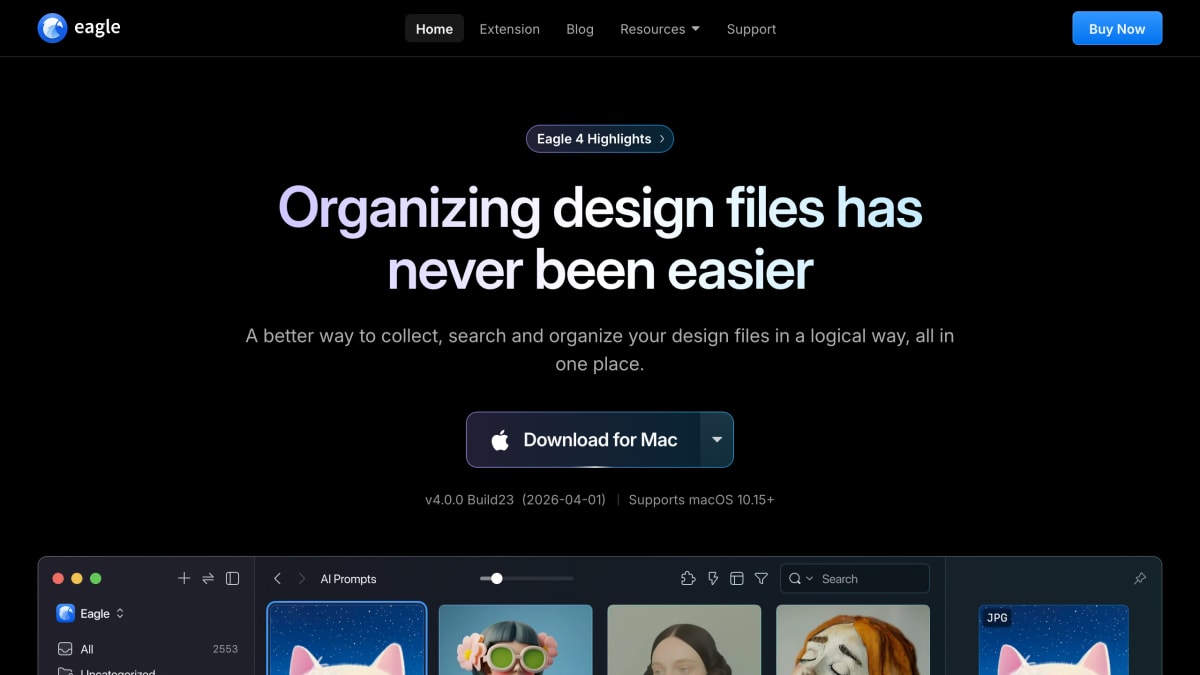
About Eagle App
Eagle is a desktop asset management application for organizing design files, images, and other creative assets. It runs on Windows 10+ and macOS 10.15+, and provides tools for collecting files (via drag-and-drop, browser extension, or screenshot capture), organizing them with tags, hierarchical folders, and smart folders, and searching through filters, keywords, color, and image-based lookup. It includes AI-driven features such as visual and semantic search, cross-source search, automated tagging and naming rules, and integration with third-party AI agents through an MCP/Skill connection.
The application supports browsing and previewing multiple file formats, including images, GIFs, video, and audio (MP3, WAV, AAC, FLAC, M4A), plus font files and web/video bookmarks. Additional features include duplicate detection, asset rating, annotation, batch processing, password protection, and a plugin system built with JavaScript and HTML for extending functionality; a plugin center offers pre-built plugins such as background removal, image upscaling, and object erasing.
Eagle is aimed at designers and other creative professionals who need to manage large collections of design files, inspiration images, and related media in one place, with a browser extension available for capturing content directly from web pages.
Key features
- AI-powered search by image, meaning, or across platforms
- Browser extension for drag-and-drop, batch save, and HD image capture
- Smart folders and tagging with automatic organization by name, tag, color, or format
- Hover and spacebar preview for images, GIFs, video, and audio without opening files
- Plugin system built with JavaScript and HTML for extending functionality
- Font, video, and audio file management with built-in preview
Frequently asked questions
What platforms does Eagle support?
Eagle is available for Windows 10+ and macOS 10.15+.
Who is Eagle designed for?
Eagle is designed for designers and creatives who need to collect, organize, and browse design files and inspiration; it is trusted by over 400,000 users.
Can I extend Eagle with plugins?
Yes, Eagle has a Plugin Center with plugins built using JavaScript and HTML, and developers can build their own using the provided docs.
How do I collect images into Eagle?
Eagle offers a browser extension for drag-and-drop, batch saving, one-click HD downloads, and screenshot capture, plus clipboard paste support.
Does Eagle support AI-driven organization?
Yes, Eagle includes AI Search (visual, semantic, and cross-source), AI Action for automated tagging and naming rules, and integration with third-party AI agents via Eagle MCP/Skill.


SerpApi - Search API
SerpApi's Search API makes it easy and fast to scrape Google and other search engines.

Show your product to thousands of developers
· 100k monthly pageviews
· 7k newsletter subscribers
You might also like
DesignCourse
Design/YouTube Channel/UXNew videos weekly from Monday to Thursday @ 10:30 AM ET! Hi, I.
Designjoy
DesignThe #1 unlimited product design subscription service for agencies, startups, and entrepreneurs.
Dribbble
Design/Inspiration/UIDribbble is where designers gain inspiration, feedback, community, and jobs and is your best resource to discover and connect with designers worldwide.
ecomm.design
Design/Inspiration/UIBrowse the most complete and up-to-date gallery for fantastic ecommerce websites design inspiration and the best ecommerce solutions and marketing tools.
Enhance UI
Design/Learn/UILearn Design for Developers wanting to know UI, UX and more.
Figma
Design/Prototyping/UIBuild better products as a team. Design, prototype, and gather feedback all in one place with Figma.