





🎁 Black Friday: 40% off the first payment of every plan, and Skip the queue for $29, through December 6.
DraftKey is in the queue
It will be published on December 11, 2026.
From $29 instead of $49, live within minutes
Submitted
Received for review.
In the queue
Until December 11, 2026.
Live
Listed on Dev Resources, with a link to its website.

DraftKey
Writing
Our local writing assistant for Apple Silicon Macs checks spelling and grammar and offers reviewed rewrites. Requires macOS 14+; editor compatibility varies.
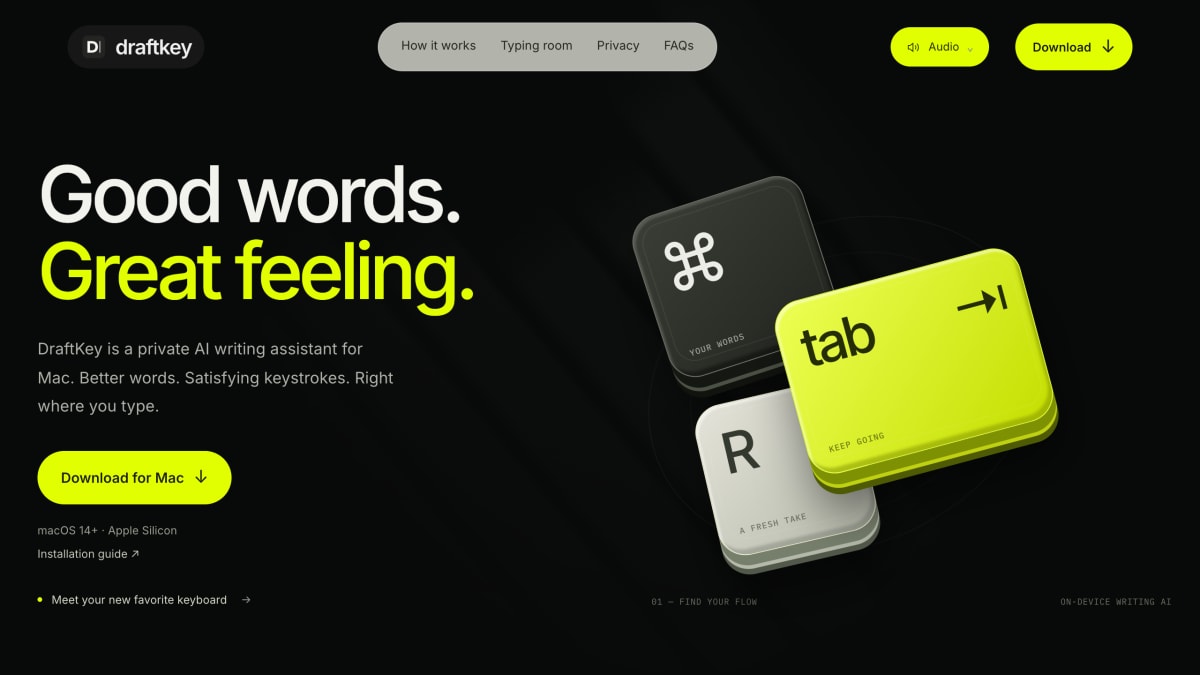
About DraftKey
DraftKey is a native Mac app that provides AI autocomplete, instruction-based text rewriting, and mechanical keyboard sounds within existing text fields. It uses macOS Accessibility features to work across compatible apps, operating on the current paragraph or a highlighted selection. Rewriting is triggered with a keyboard shortcut and an instruction (for example, making text friendlier, shorter, more professional, or grammatically correct), with results reviewed before being applied.
The app runs its writing model locally on the Mac rather than sending text to a cloud AI service; autocomplete and rewriting are processed on-device and continue to work offline once set up. An internet connection is required only for the initial AI model download, license activation, and update checks. The keyboard sound feature operates independently of the AI functions and can be enabled or disabled separately, with several switch sound profiles available.
DraftKey requires an Apple Silicon Mac running macOS 14 or later. The AI features require at least 8 GB of memory, a model download of approximately 1.12 GB, and at least 2.2 GB of free disk space in addition to space for the app itself. Support for rewriting and autocomplete depends on how each third-party app exposes its text fields to macOS Accessibility; secure fields are excluded, and users can control which apps DraftKey is active in.
Key features
- On-device AI autocomplete that suggests the next words while typing
- Instruction-based text rewriting (e.g. "make it friendlier", "fix grammar") via a keyboard shortcut
- Works inside compatible Mac text fields using macOS Accessibility
- Mechanical keyboard typing sounds with multiple switch profiles (Cream, Topre, Keychron Red, etc.)
- Fully local AI inference that runs offline after initial setup
- Independent on/off controls and per-app settings for sounds, autocomplete, and rewriting
Frequently asked questions
What is DraftKey?
DraftKey is a native Mac app that combines AI autocomplete, instruction-based rewriting, and mechanical keyboard sounds. It's designed to work alongside the apps you already write in.
Does my writing leave my Mac?
No, DraftKey is designed for fully local AI inference, so autocomplete and rewriting happen on your Mac. An internet connection is only needed to download the AI model and activate a license.
Which Macs can run DraftKey?
DraftKey requires an Apple Silicon Mac running macOS 14 or later. AI features need at least 8 GB of memory, a roughly 1.12 GB model download, and at least 2.2 GB of free disk space plus room for the app.
Will it work in every Mac app?
DraftKey uses macOS Accessibility to work in compatible text fields, so support depends on how each app exposes its text. Secure fields are excluded, and per-app controls let you choose where DraftKey is active.
Can I use the typing sounds without the AI features?
Yes, typing sounds, autocomplete, and rewriting have independent controls, so you can turn on only the parts you enjoy.

Thordata
Reliable residential proxies for web scraping and automation: over 100 million real residential IPs across 190+ countries, plus a SERP API, Web Scraper API and Web Unlocker.

SerpApi - Search API
SerpApi's Search API makes it easy and fast to scrape Google and other search engines.
Show your product to thousands of developers
· 100k monthly pageviews
· 9k newsletter subscribers