
Console Ninja
Console Ninja is a VS Code extension that allows you to see console.log output and runtime errors right next to your code.
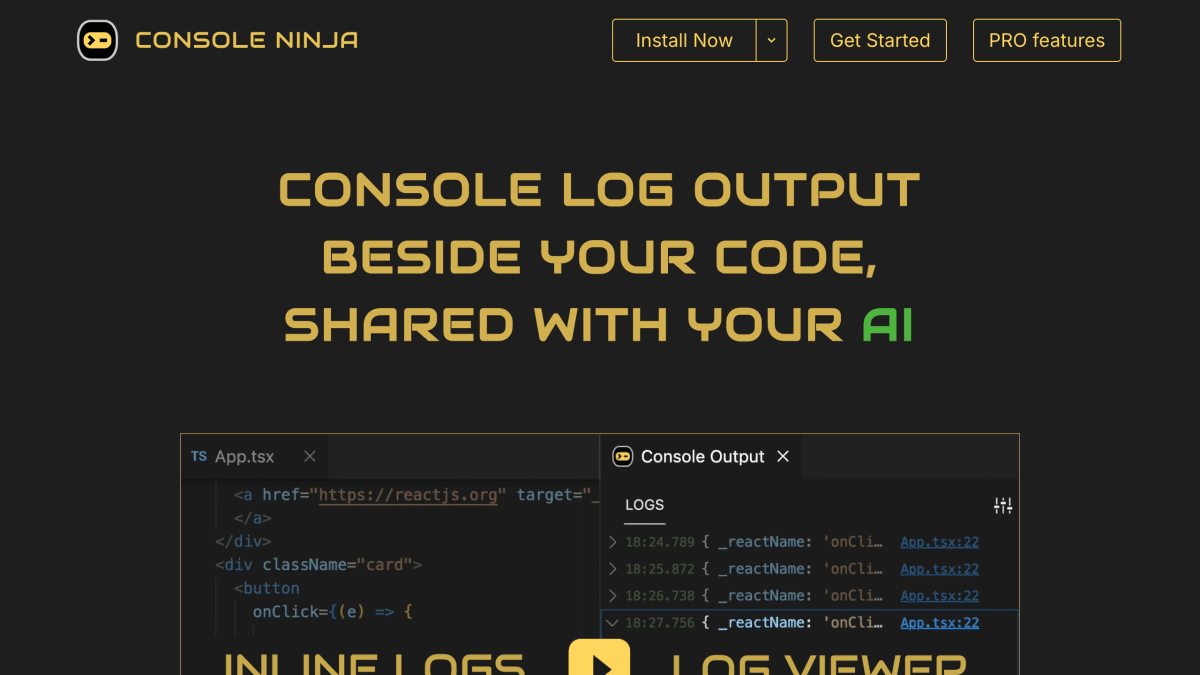
About Console Ninja
Console Ninja is a code editor extension that displays console.log output, runtime errors, and network request data directly next to the relevant lines of code, eliminating the need to switch to browser developer tools or a terminal. It works with JavaScript projects and requires no configuration: once the editor and a development server or test runner are running, logged values appear inline. Features include hover tooltips for logged values and errors with navigable stack traces, a chronological log viewer with search, and interactive graphs for exploring runtime data structures.
The tool also includes an MCP server that feeds browser and server errors and logs to AI coding assistants, with support listed for Copilot Agent, Cursor, Claude Code, Windsurf, Cline, and other MCP clients, as well as a dedicated GitHub Copilot Chat integration for delivering error messages, stack traces, and log data.
Console Ninja is distributed as a VS Code extension, made by the Wallaby Team (also known for the Wallaby.js test runner and Quokka.js playground). It offers a free Community edition alongside a commercial Pro edition that adds network logging, logpoints, an enhanced log viewer with filtering and indentation guides, and log mapping by source location.
Key features
- Displays console.log, errors, and network request output inline next to the relevant code in your editor
- Hover tooltips show logged values, full error messages, and navigable stack traces
- Log viewer shows all recorded logs and errors in chronological order with search and clickable links to source code
- Interactive Runtime Value Graphs for visually exploring complex data structures
- Logpoints let you log any expression's value without modifying code, using breakpoints (Pro)
Frequently asked questions
Is Console Ninja free?
Yes, the Community edition is free to use and will always be free. A commercial Pro edition adds advanced features like Network Logging, Logpoints, Log Viewer Pro, and Log Map.
Which editor does it support?
Console Ninja is installed as an extension for VS Code.
Does it integrate with AI coding assistants?
Yes, its MCP server automatically provides browser/server errors and logs to AI agents, with support for Copilot Agent, Cursor, Claude Code, Windsurf, Cline, and other MCP clients.
Who makes Console Ninja?
It is made by the Wallaby Team (Wallaby Pty Ltd), who also make Wallaby.js and Quokka.js.
Does it require configuration to set up?
No, it works by simply starting your editor and your development server or test runner in watch mode, with no config or setup needed.


SerpApi - Search API
SerpApi's Search API makes it easy and fast to scrape Google and other search engines.

Show your product to thousands of developers
· 100k monthly pageviews
· 7k newsletter subscribers
You might also like
Codeshare
Editor/ProgrammingShare code in real-time with developers in your browser. An online code editor for interviews, troubleshooting, teaching.
Codiga
Editor/ExtensionCodiga is a Coding Assistant that lets you create, share and import code snippets from your IDE.
ColorZilla
Color/Editor/ExtensionAdvanced Eyedropper, Color Picker, Gradient Generator and more.
DataGrip
Editor/ProgrammingA powerful IDE from JetBrains for SQL on macOS, Windows, and Linux.
Dracula theme
Editor/Extension/TerminalDracula is a color scheme for code editors and terminal emulators such as Vim, Notepad++, iTerm, VSCode, Terminal.app, ZSH, and much more.
Eclipse
Editor/ExtensionThe Eclipse Foundation - home to a global community, the Eclipse IDE, Jakarta EE and over 375 open source projects, including runtimes, tools and frameworks.