
Cert Decoder
Cert Decoder is a free online tool for decoding X.509 SSL/TLS certificates in PEM format directly in your browser.
About Cert Decoder
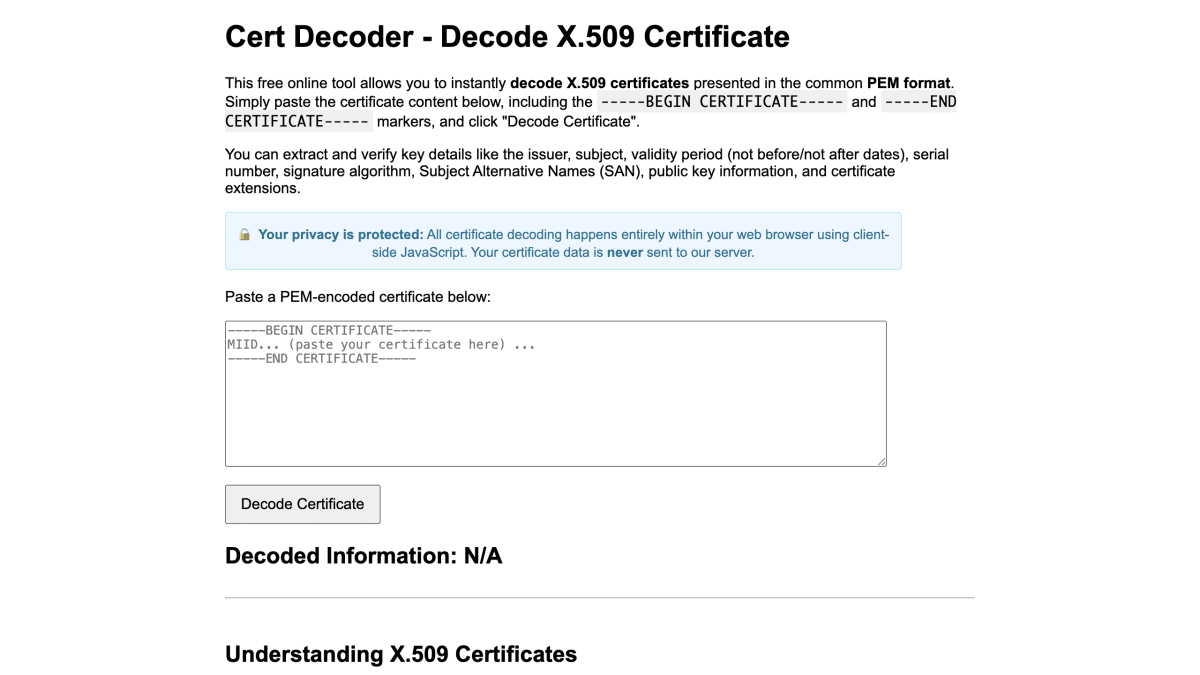
Cert Decoder is a free online tool for decoding X.509 certificates in PEM format. Users paste certificate content, including the BEGIN/END CERTIFICATE markers, and the tool extracts details such as issuer, subject, validity period, serial number, signature algorithm, Subject Alternative Names, public key information, and certificate extensions. Decoding runs entirely client-side in the browser using JavaScript, and certificate data is not sent to the server.
The page also includes reference material explaining X.509 certificate structure, PEM versus DER encoding, and common certificate uses such as HTTPS/TLS, S/MIME email security, code signing, document signing, and client authentication.
The tool is suited for developers and administrators who need to inspect or verify certificate fields, such as validity dates or SAN entries, when configuring or troubleshooting TLS/SSL setups.
Key features
- Decodes PEM-formatted X.509 certificates directly in the browser
- Extracts issuer, subject, and validity period (not before/not after)
- Shows serial number and signature algorithm
- Reveals Subject Alternative Names (SAN)
- Displays public key information and certificate extensions
- Processes certificate data entirely client-side without sending it to a server
Frequently asked questions
Is Cert Decoder free to use?
Yes, it is a free online tool for decoding X.509 certificates.
Does it send my certificate data to a server?
No, all decoding happens entirely within your web browser using client-side JavaScript, and the certificate data is never sent to the server.
What certificate format does it accept?
It accepts X.509 certificates in the common PEM format, including the -----BEGIN CERTIFICATE----- and -----END CERTIFICATE----- markers.
Who is this tool for?
It is useful for anyone verifying identities, ensuring secure connections, or troubleshooting TLS/SSL issues, such as developers and system administrators working with certificates.


SerpApi - Search API
SerpApi's Search API makes it easy and fast to scrape Google and other search engines.

Show your product to thousands of developers
· 100k monthly pageviews
· 7k newsletter subscribers
You might also like
AeroFTP
Open Source/Tooling/SecurityOpen-source multi-protocol file transfer client supporting 22 protocols (FTP, SFTP, WebDAV, S3, Google Drive, Dropbox and more), with encrypted vaults, a built-in terminal and an AI assistant. Built with Tauri, React and Rust.
Agent Security
Security/AI/NewsletterSecurity for AI agents.
Dymo
Security/ProgrammingData intelligence and protection, your security solution and Big Data for user recognition.
Greip
AI/Legal/SecurityOne of the must trusted Fraud Prevention services, which allows you to deploy AI-Powered modules to prevent fraud and abuse.
IPASIS
Security/API BuildingReal-time bot detection and fraud prevention API. Combines IP reputation, VPN/proxy detection, and email validation in a single call. Free tier: 100 requests/day.
isecjobs.com
Job/SecurityFind jobs and talents in InfoSec and Cybersecurity.